


Most people learning a language already have their why. Maybe it’s professional goals or travel, understanding your favorite songs or watching telenovelas with your abuela. Whether it’s reading the great masterpieces of literature without wondering if something got lost in translation or moving abroad or being able to haggle at the cultural market in your down, why is easy.
The big question is how.
Language apps can get you there faster than trying to piece together a curriculum on your own and cheaper than a full-on in-person course — if you pick the right one. The problem is most of them cost real money, and picking wrong means months of wasted subscription fees and losing motivation.
I tested the biggest language apps on the market side by side to find out how they actually work, who they're built for, and whether they're worth your dollars over alternatives like books, tutoring, or straight-up immersion.
My perspective: I’m not a total language newbie, but I still haven’t reached fluency in another language. I took 4 years of Latin in high school and have forgotten most of it. I took 2 semesters of French in college, but learned approximately nothing in the second one because it was taught fully in French – you know, the language I did not yet speak. I’ve dabbled in Italian since I was a kid and learned some basic conversational phrases. My why? Mostly travel and culture. I want to visit the parts of Italy my family came from (including the remote ones where English isn’t commonly spoken). I want to read some of my favorite books in the language they were written in (French). Which means as a learner, I want a pretty balanced program that teaches how to understand (listening, reading) a target language as well as communicate (speak, write) in it.
Duolingo
Best Language App for Bite-Sized, Gamified Lessons to Build the Habit
I’ve been using Duolingo for a really long time, actually. When I first signed up, the company was private, the whole mission was to make language-learning free for everyone, and the lessons were created entirely by humans – and largely volunteers, at that. My, how times have changed.
To be clear, not all of the changes to Duolingo have been bad. The company seems to prize innovation almost above all else, so they’re constantly experimenting and pushing their product forward. Which to be fair, does create consistent growth. That doesn’t mean they never make mistakes – like making public statements that alienate their users and adopting policies that many feel are controversial – but perhaps more so than any other app on this list, Duolingo has continued to roll out new features that are genuinely helpful and genuinely push the envelope. For the right price.
Duolingo is available on several price tiers:
- Free: Once the company’s bread and butter, most users consider the free-tier borderline useless now. It contains ads. When you answer questions, you use “energy” like in a video game. Once, energy was depleted only by getting questions wrong. Now, you use up energy every time you answer a question – and sometimes that means you can’t get through a full lesson without the energy meter running out and ending your session.
- Super ($8/month, $95/year): The basic ad-free tier.
- Max ($13/month, $165/year): Removes ads and gets you all of Duolingo’s most cutting-edge features, like video call style lessons.
There’s also a Max family plan which includes seats for up to 6 people (the account holder and five others). It’s billed at $119.99/year.
If you have a bunch of friends who want to go on a subscription with you, that works out to $20 per person/year, which is hard to beat – but that’s a big if you can find enough people to split the cost with.
Interface + Course Structure
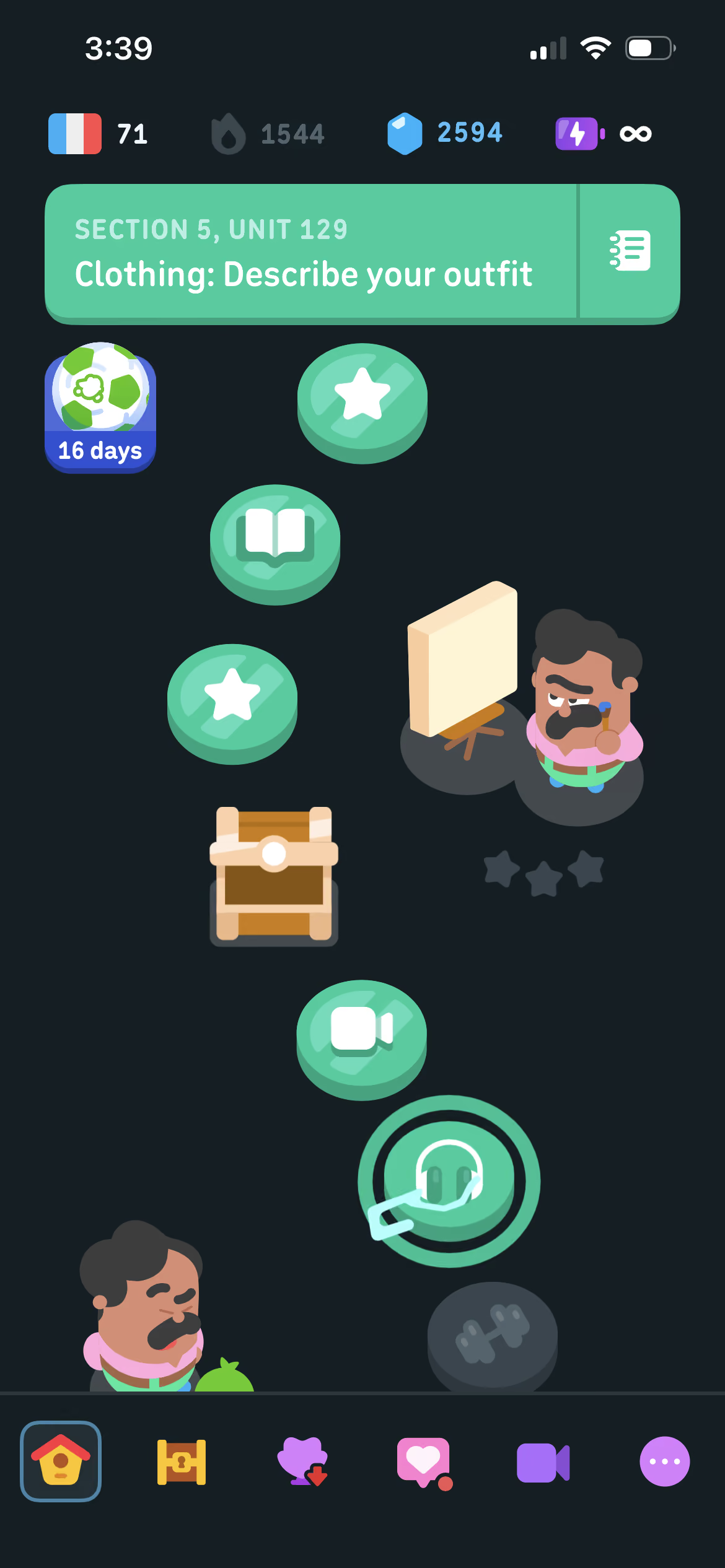
Once you choose a target language in Duolingo – there are over 40 for English speakers to choose from – you’ll be greeted with a learning path like this that walks you through different types of lessons.
Some introduce new vocabulary and grammar concepts. Some are stories to help you hone reading skills. Some are reviews/practice sessions that focus on previously learned skills. And if you have a Max subscription, there are also podcast-style listening exercises and facetime-style speaking exercises in the path as well.
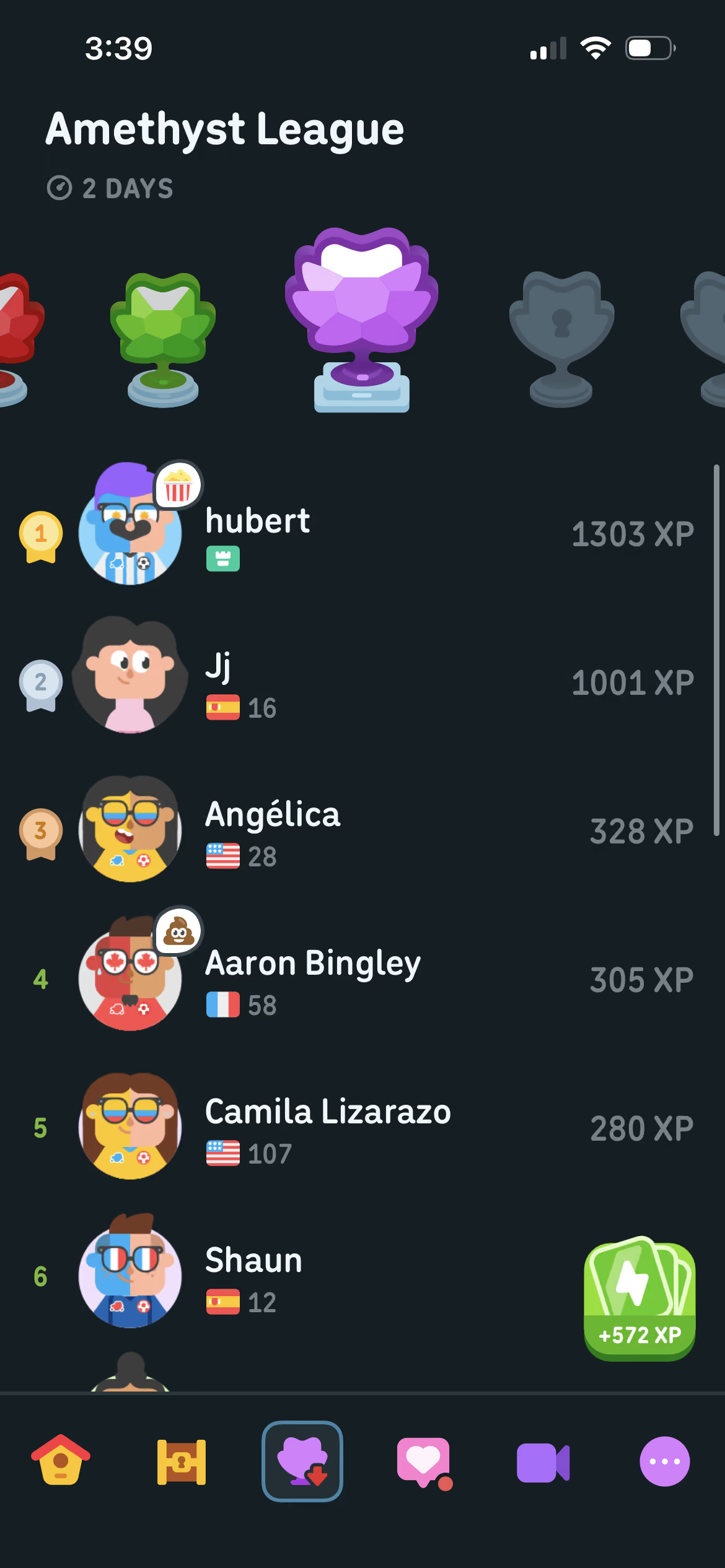
Duolingo is famous for “gamifying” the language-learning process. The goal of making education engaging is woven throughout the platform. For example, if you have Leagues turned on, completing lessons earns you XP. Each week you’re shuffled into a cohort of 20 other learners practicing at a similar pace to yours, and you can move up through the ranks by earning XP. League winners are awarded gems which can be used to purchase power ups like streak freezes, time extension (useful in some timed practice games), etc.
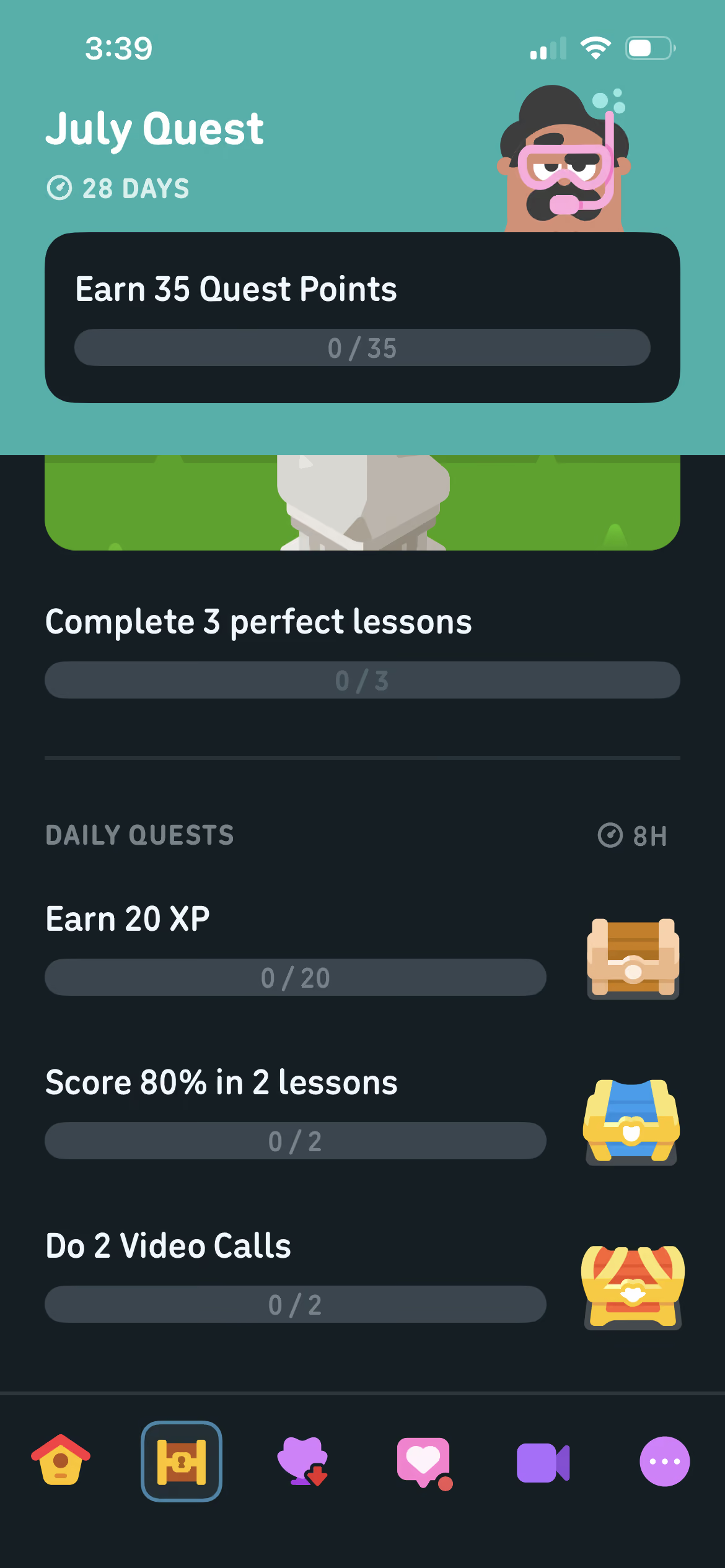
Duolingo also gives you daily and weekly Quests, challenges that allow you to earn badges or bonuses like gems or XP boosts.
If you want to practice something specific, you can head over to the Practice Hub, which allows you to jump into whichever type of lesson you’re looking for regardless of what’s next on your learning path. Practice Hub sessions don’t advance you through the course, but they can be useful for brushing up on skills and concepts you’re not as strong with.
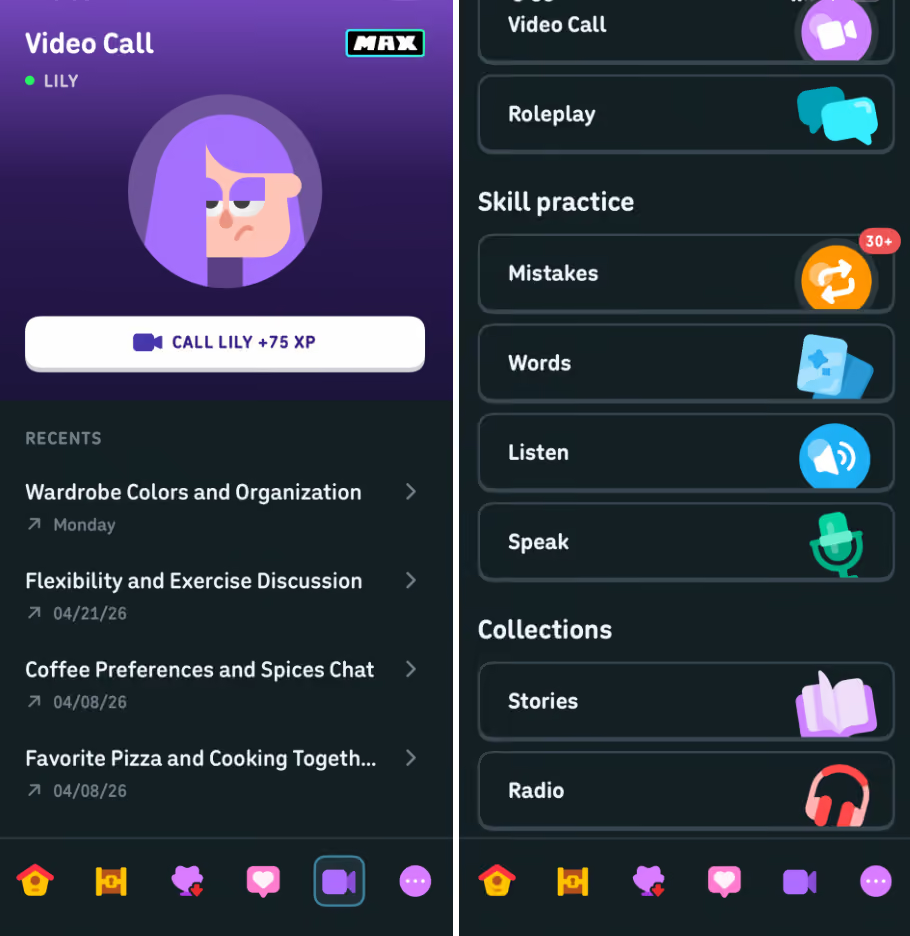
How much can you learn on Duolingo? It varies significantly depending on your target language. The most popular courses get updated and expanded most frequently, but as of this writing you can reach a CEFR level B2 (or equivalent) in nine languages on the platform:
- English
- Spanish
- French
- German
- Italian
- Portuguese
- Japanese
- Korean
- Chinese
Other languages probably tap out somewhere in the A1-A2 range. No courses currently support advanced C1-C2 learning.
Inside a Lesson
Most Duolingo lessons include a block of about 12 questions in different formats.
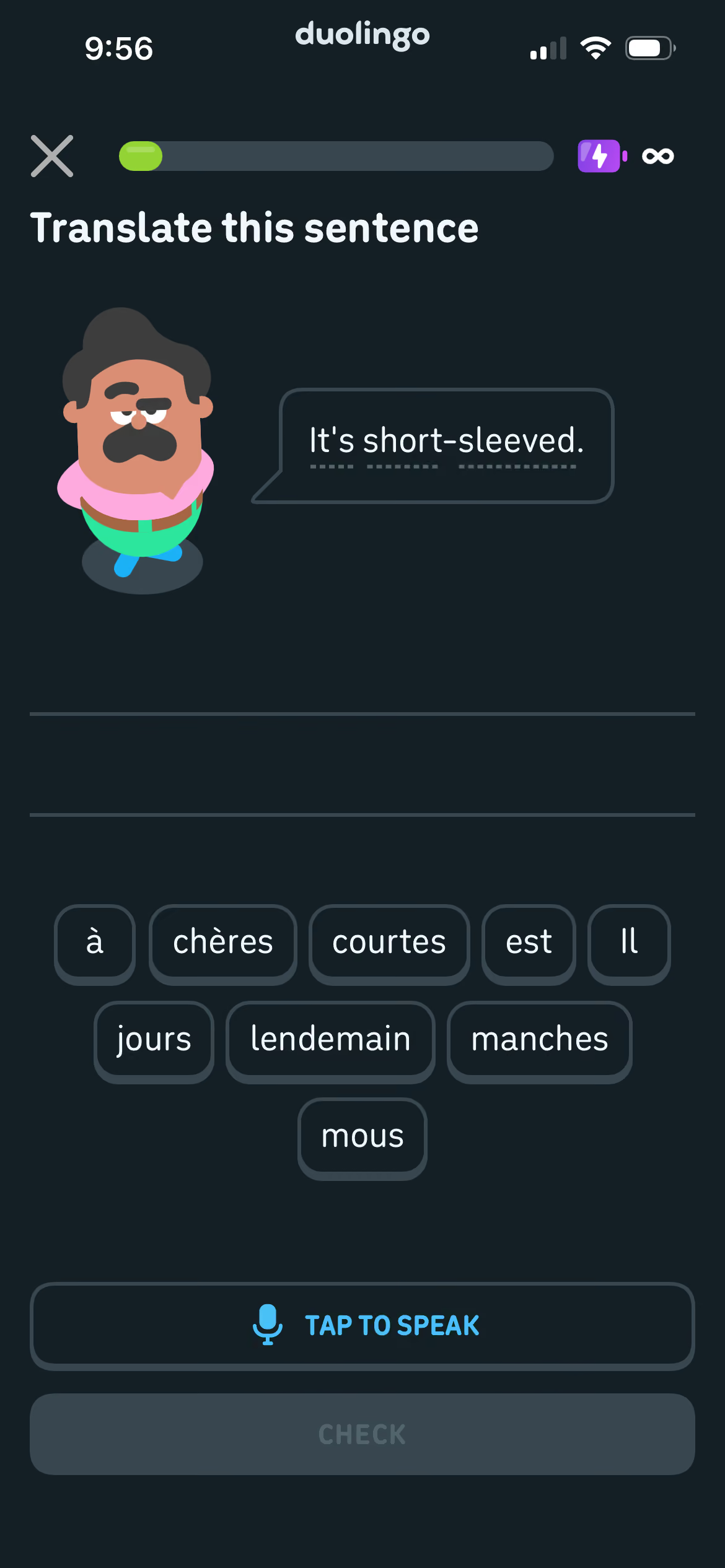
Some involve translating sentences to/from your target languages. This might mean selecting the correct words from a word blank, typing out the sentence or translation yourself, or speaking the sentence/translation.
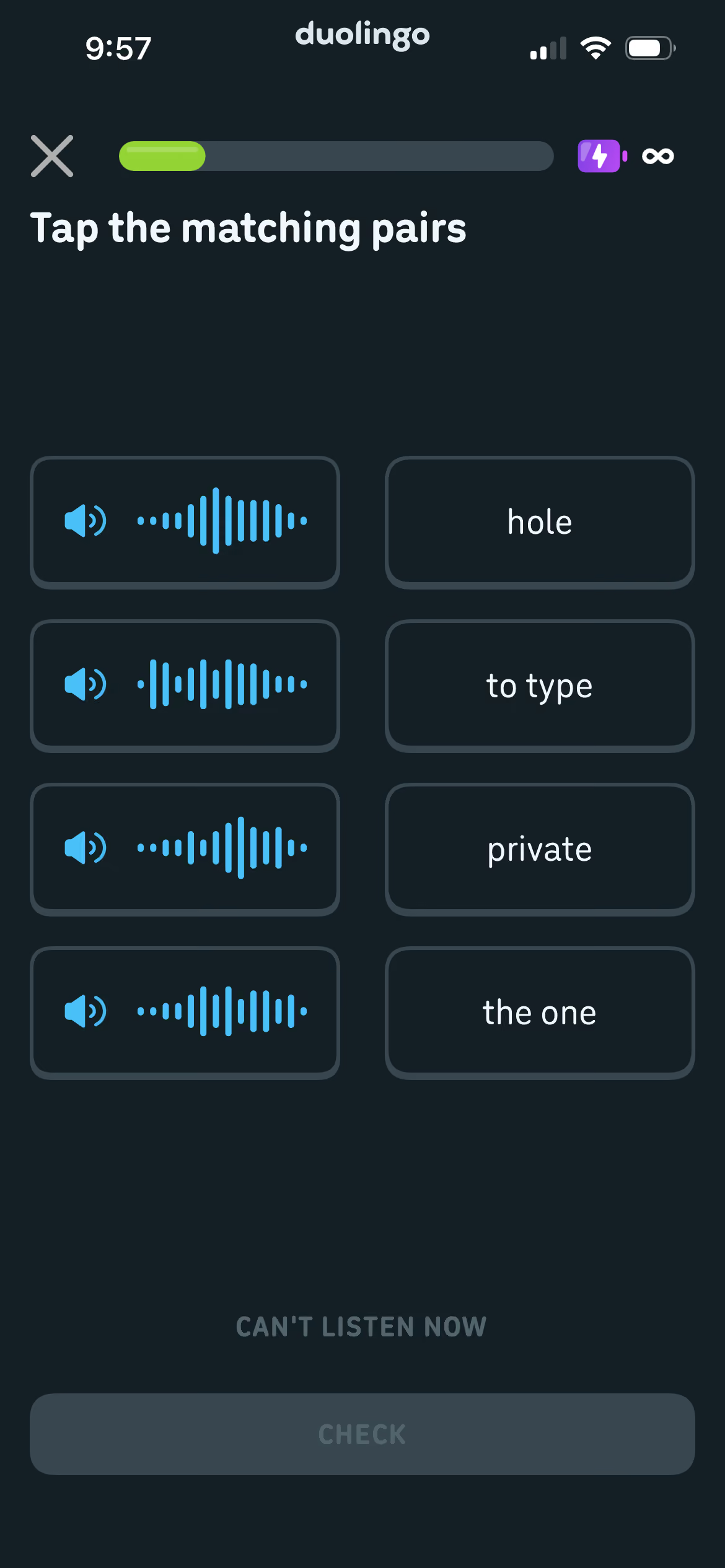
Another common question type is word matching. Sometimes you’ll match text words to text words, and sometimes you’ll match spoken words to their text translation.
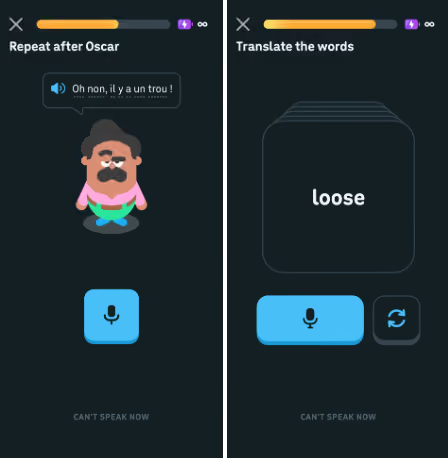
Other questions help you work on your own speaking by verbally going through vocabulary flashcards or repeating/responding to sentences.
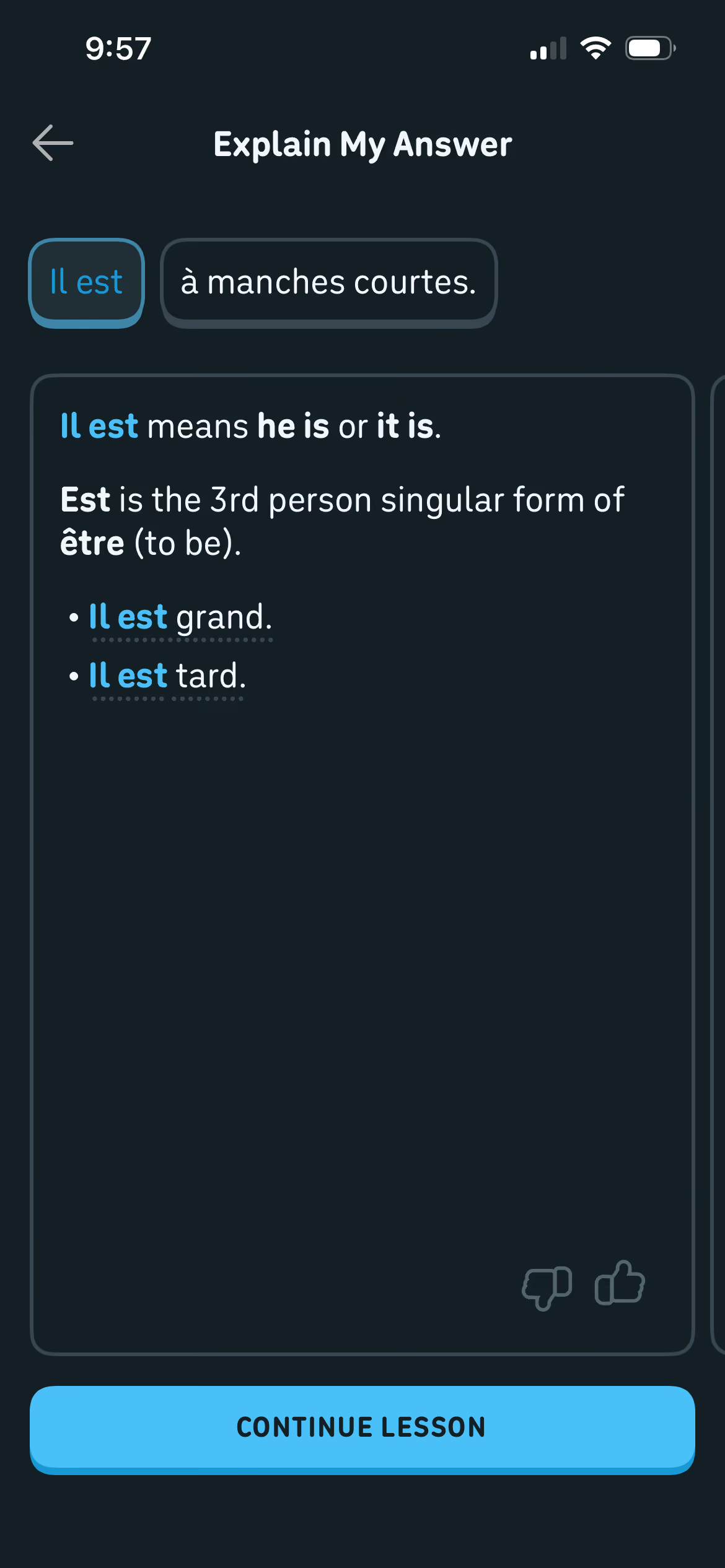
Max users can also take advantage of the Explain My Answer button, which provides more context on what’s happening with each part of a sentence including explanations of common mistakes.
Podcast-style listening exercises let you listen to brief interactions between Duolingo characters and others who call into their show with ideas and problems. You’re given questions asking you to pick out vocabulary used in the conversation or to check your comprehension of what’s being discussed.
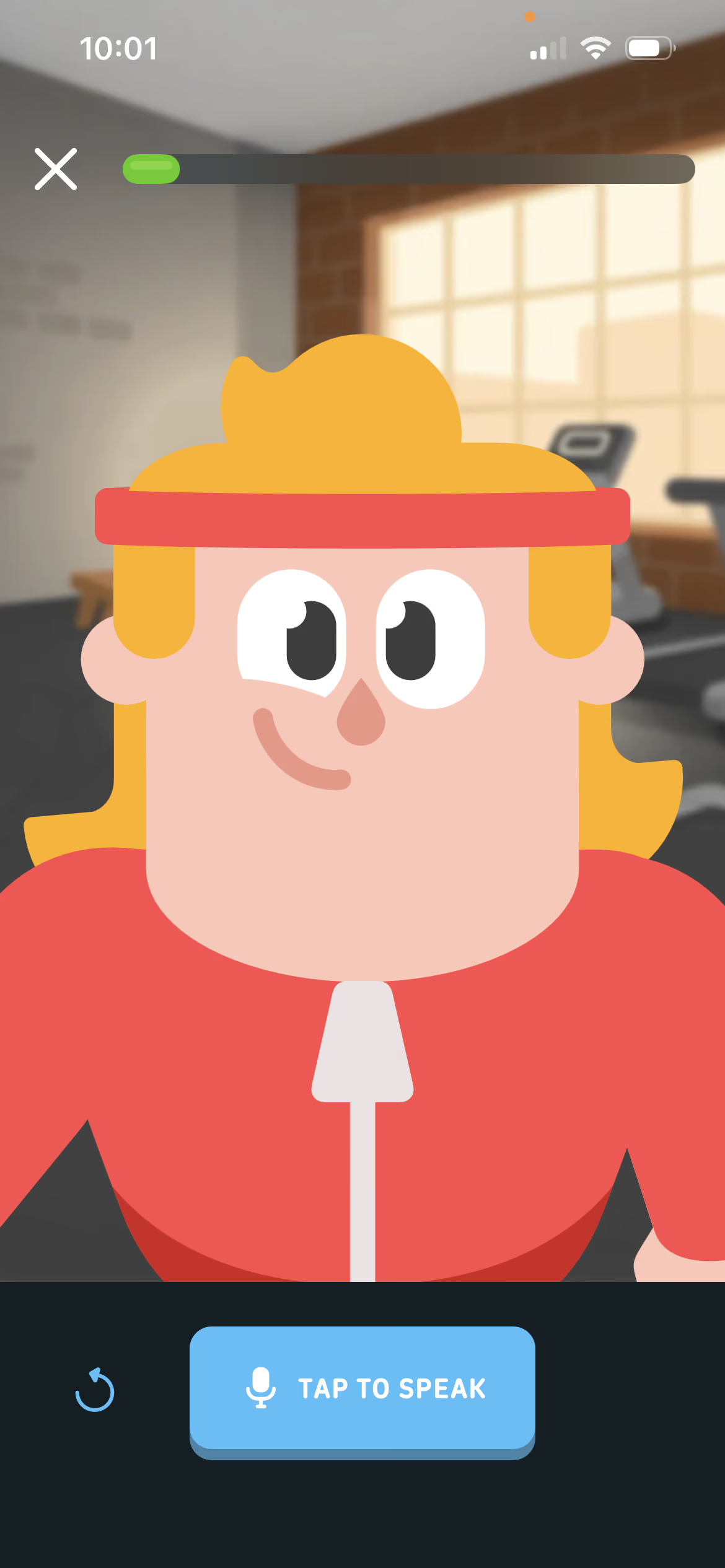
Facetime-style speaking exercises give you the chance to practice conversation skills in real time. At the end of the call, you’re provided with a transcript (including translations) so you can review the chat or clarify anything that didn’t make sense.
Babbel
Best Overall Language App with Balanced Lessons + Great Value
For 15+ years, Babbel’s goal has been to help build mutual understanding through language. With 60,000 lessons available across 14 languages, they’ve made major strides toward achieving it – and studies from major universities like Yale, Michigan State University, and the City University of New York have backed up its effectiveness.
For me, Babbel hits the right balance between providing in-depth learning resources and making lessons fun and easy to fit into a busy schedule. Babbel also provides other tools, like the Toucan browser extension, which can help you weave your language learning into your day-to-day tasks. And the more connections you build between your life and your target language, the easier and easier it becomes to retain.
Babbel is available on a few different subscription tiers:
- Lifetime: Pay $299 once (or sometimes less, when on sale) to get access to all of the courses Babbel has to offer forever.
- Annual: About $108/year, depending on what promotions are running
- Monthly: $17.95/month, depending on what promotions are running
With Babbel, promotions are worth considering because they offer major sales a couple of times per year.
Interface + Course Structure
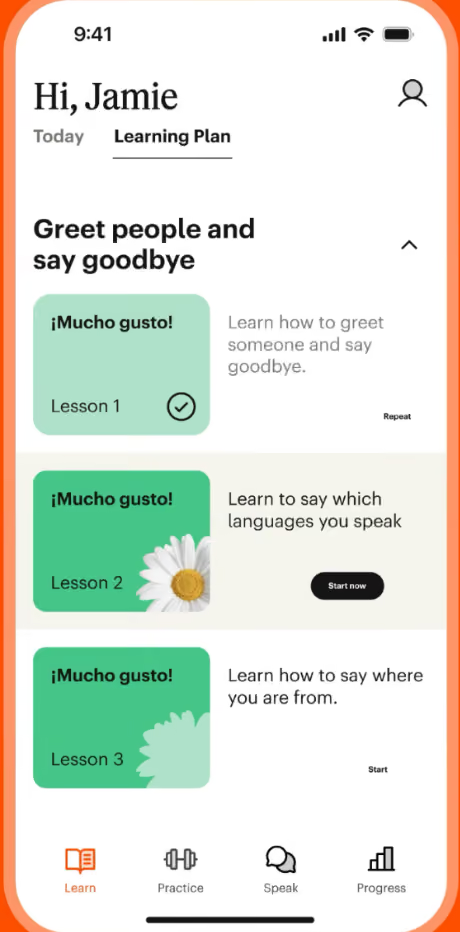
Before you begin, Babbel asks you a series of questions to gauge your starting skill level in your target language as well as understand your motivations for learning. This information is used to tailor a Learning Plan to your specific needs.
What you’ll see though is a simple lineup of lessons, similar to the chapter headings in a textbook or the SWBAT learning objectives your teachers may have written on the board at the start of class in high school. It gives you a quick preview of what you’ll be learning in that lesson and makes it easy to navigate back to anything you might want to review later.
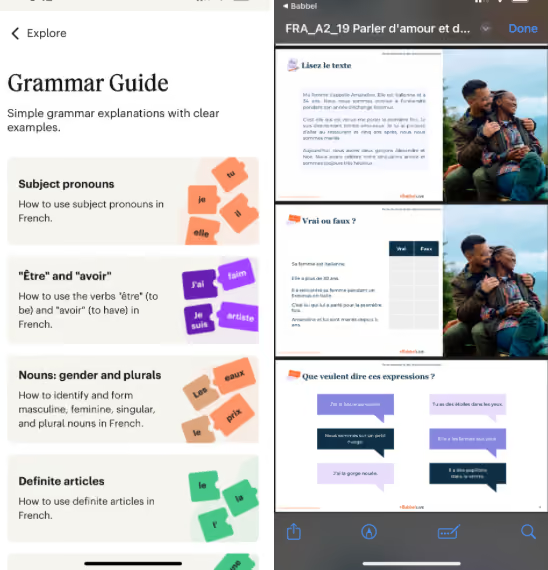
Babbel also offers Grammar Guides to help explain in-depth the structures you’re learning by practice in your lessons.
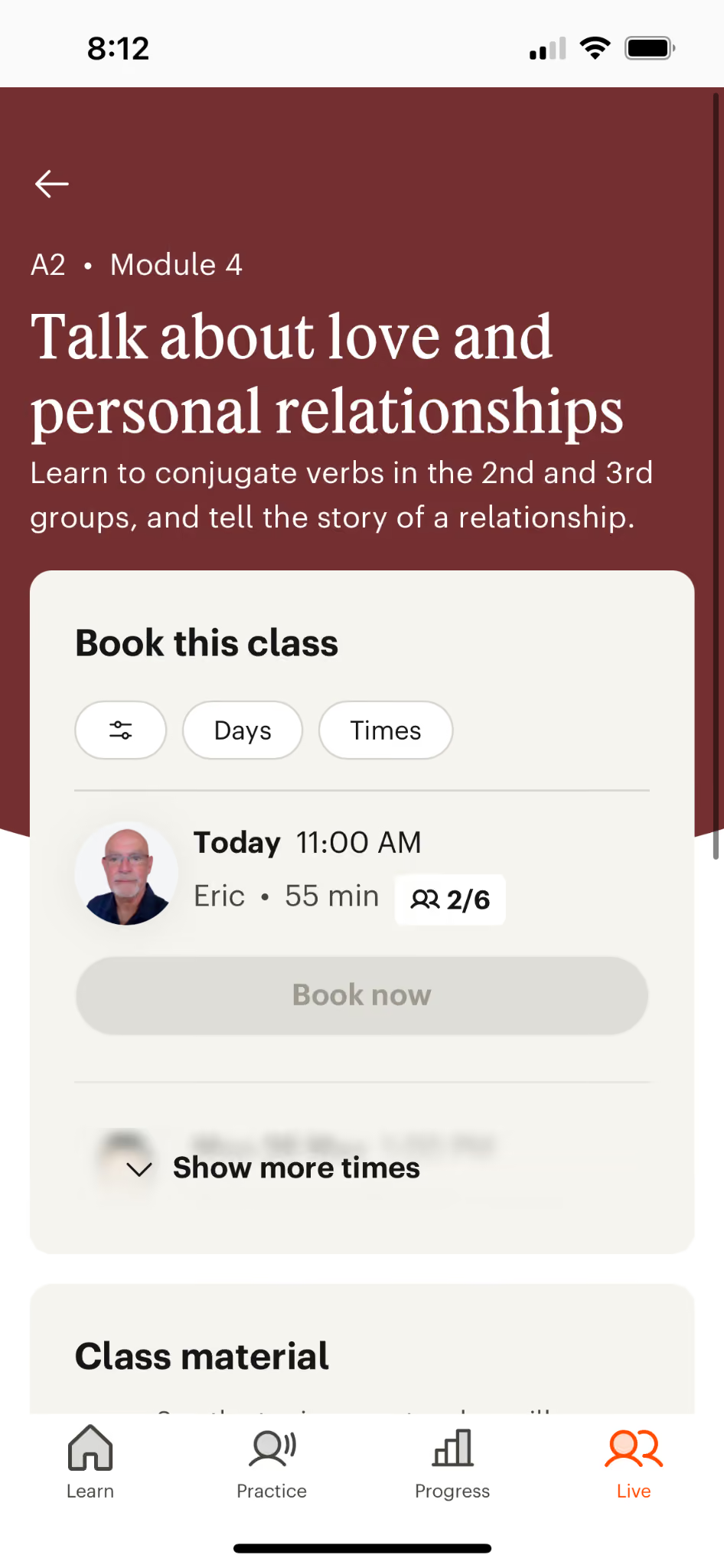
And the biggest differentiator between Babbel and Duolingo: you can book live lessons with experienced instructors. You get to try out the service as a part of your Babbel subscription, but if you want live classes to be a regular part of your learning, you’ll need to sign up for a separate subscription costing an additional $39 - $99/month depending on the frequency of classes.
Inside a Lesson
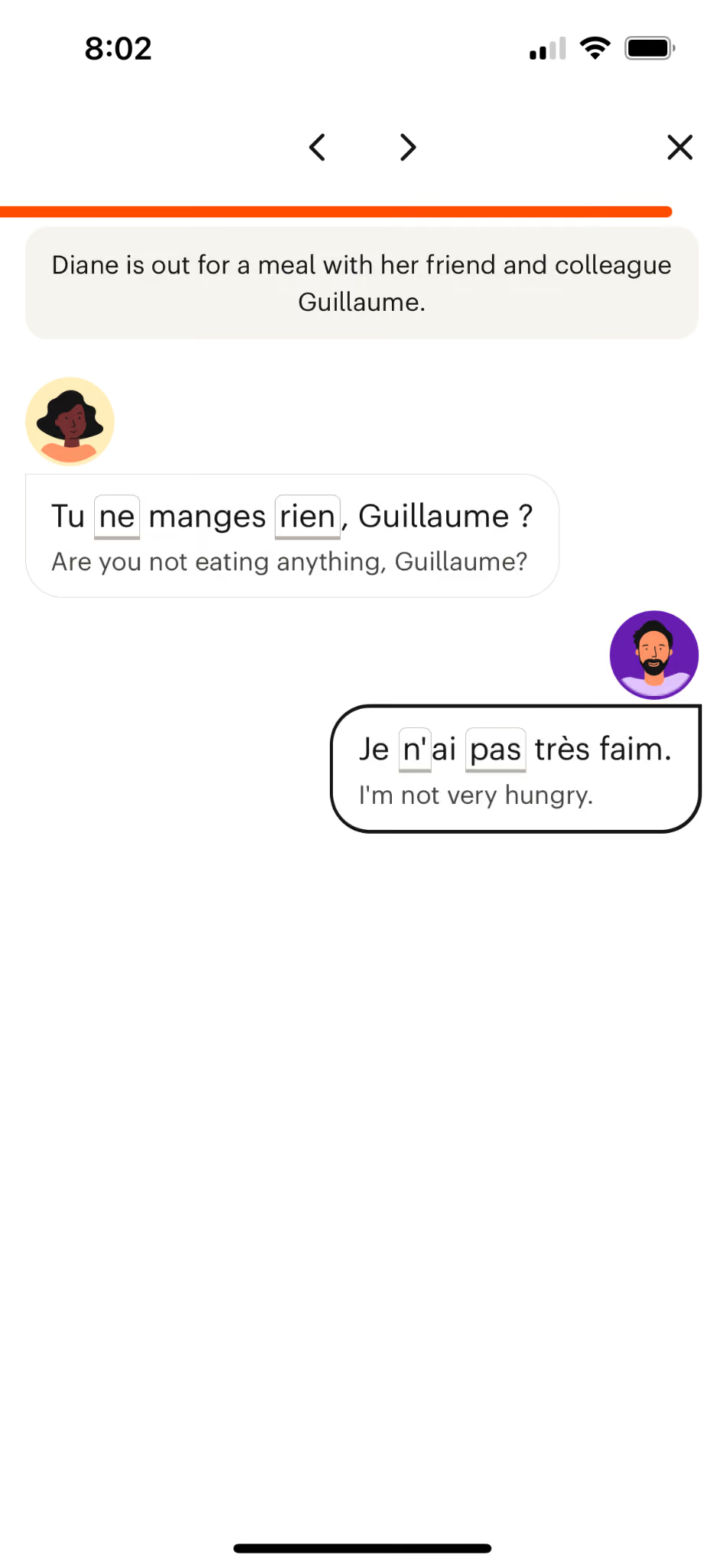
Babbel lessons typically contain 30-40 questions in different formats that require you to move between reading, writing, listening, and speaking tasks.
You might encounter fill-in the blank questions.
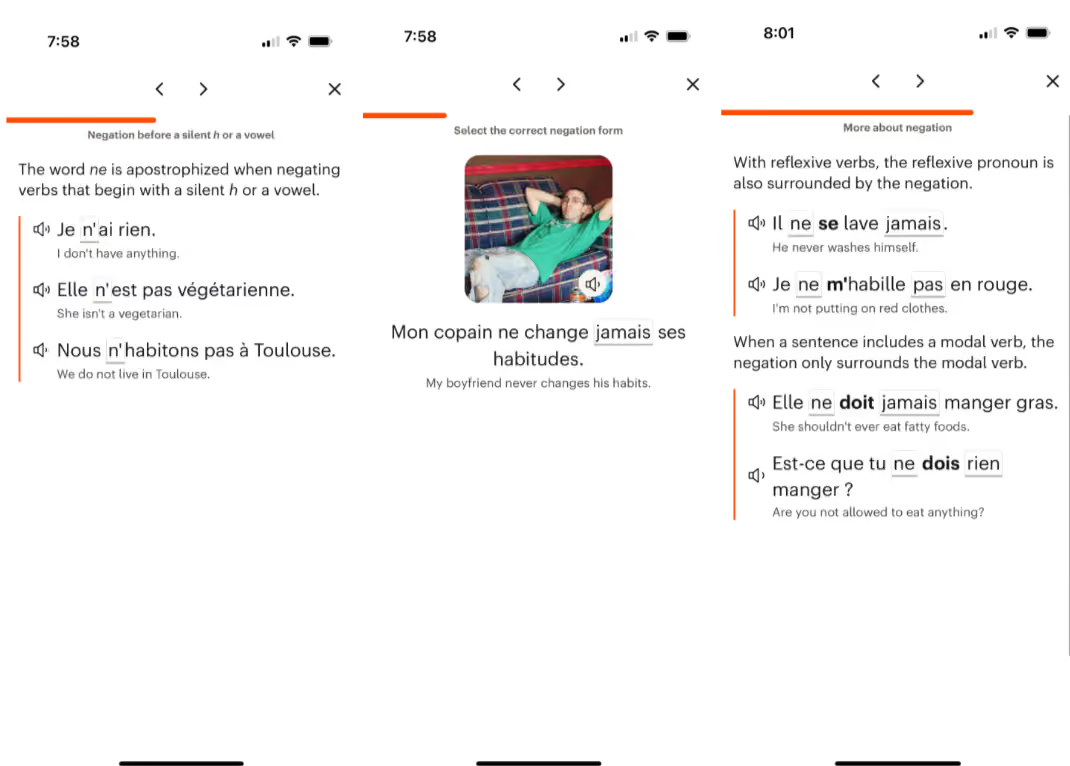
Interactive grammar lessons that help the concepts stick by asking you to participate.
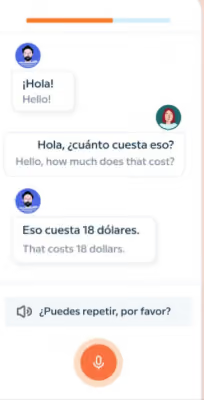
Babbel also recently rolled out a conversation bot feature.
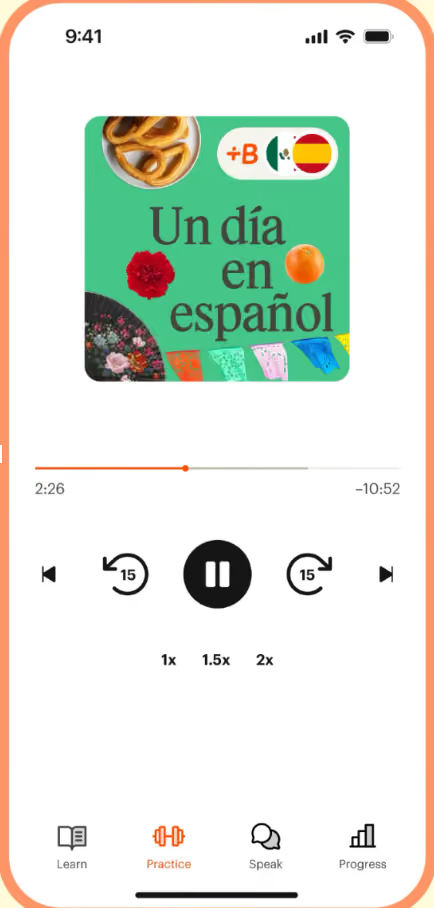
And the platform has other material for you to practice with, including podcasts recorded with learners at different levels in mind.
Pimsleur
Best Language App for Auditory Learners + People Focused on Speaking
Pimsleur is based on the work of Dr. Paul Pimsleur, whose major breakthroughs in the 1960s helped crack the problem of adult language learning wide open by understanding the mechanics of how we pick up languages as children – and more importantly how we can repeat that process even after our brains are fully developed.
Dr. Pimsleur’s spaced repetition algorithm is designed to help you learn grammar by listening and developing an ear for it – the way you learned your first language as a child – rather than by sitting down and studying the grammatical structures themselves.
Pimsleur is available on a few different subscription tiers:
- Lifetime: Pay $798 once (or sometimes up to 50% less, when on sale) to get access to all of the courses Pimsleur has to offer forever.
- Annual: About $164.95/year, depending on what promotions are running
- Monthly: $20.95/month, depending on what promotions are running
With Pimsleur, promotions are worth considering because they offer major sales a couple of times per year.
Interface + Course Structure
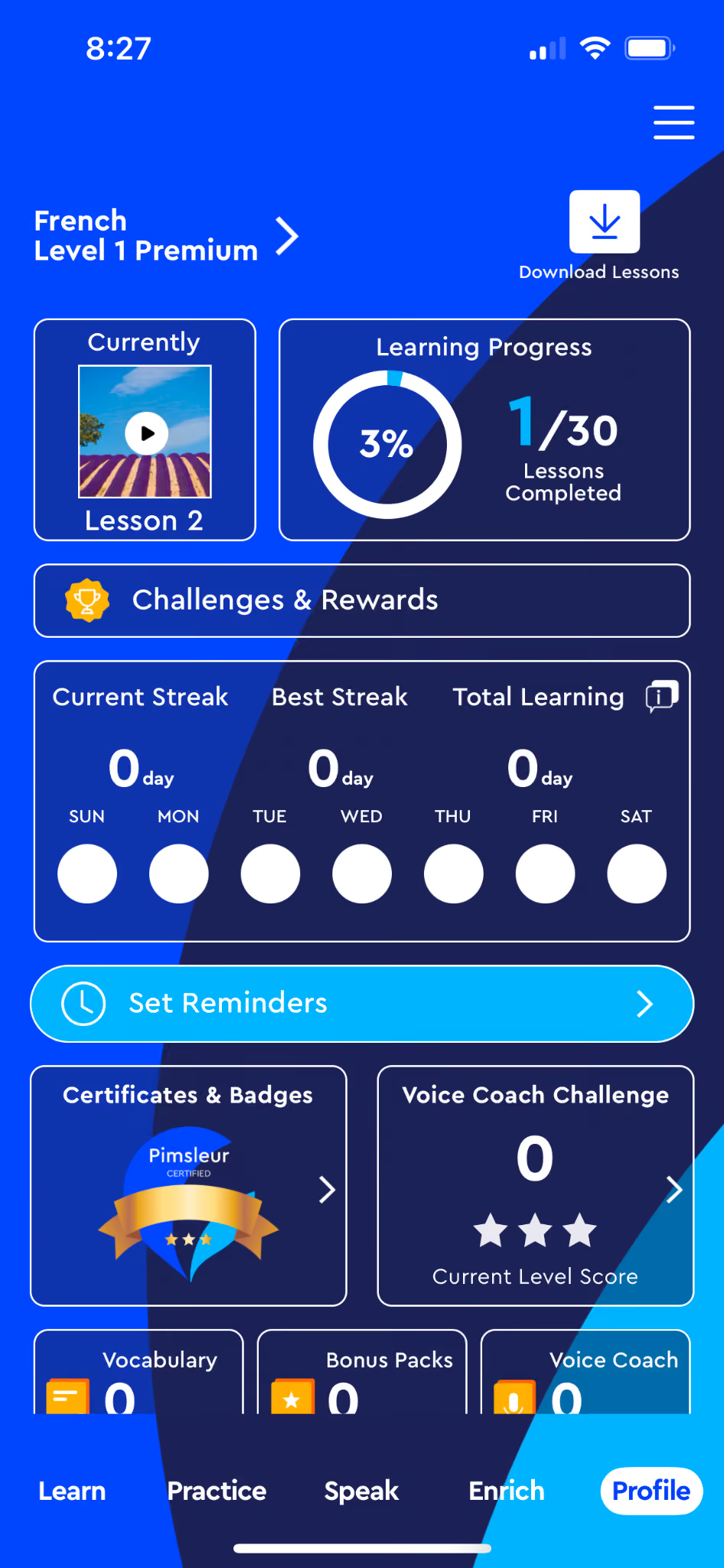
Pimsleur is all about speaking and listening, and you’ll see that from the very start. Your home screen includes stats like your streak, number of vocab words learned, and more.
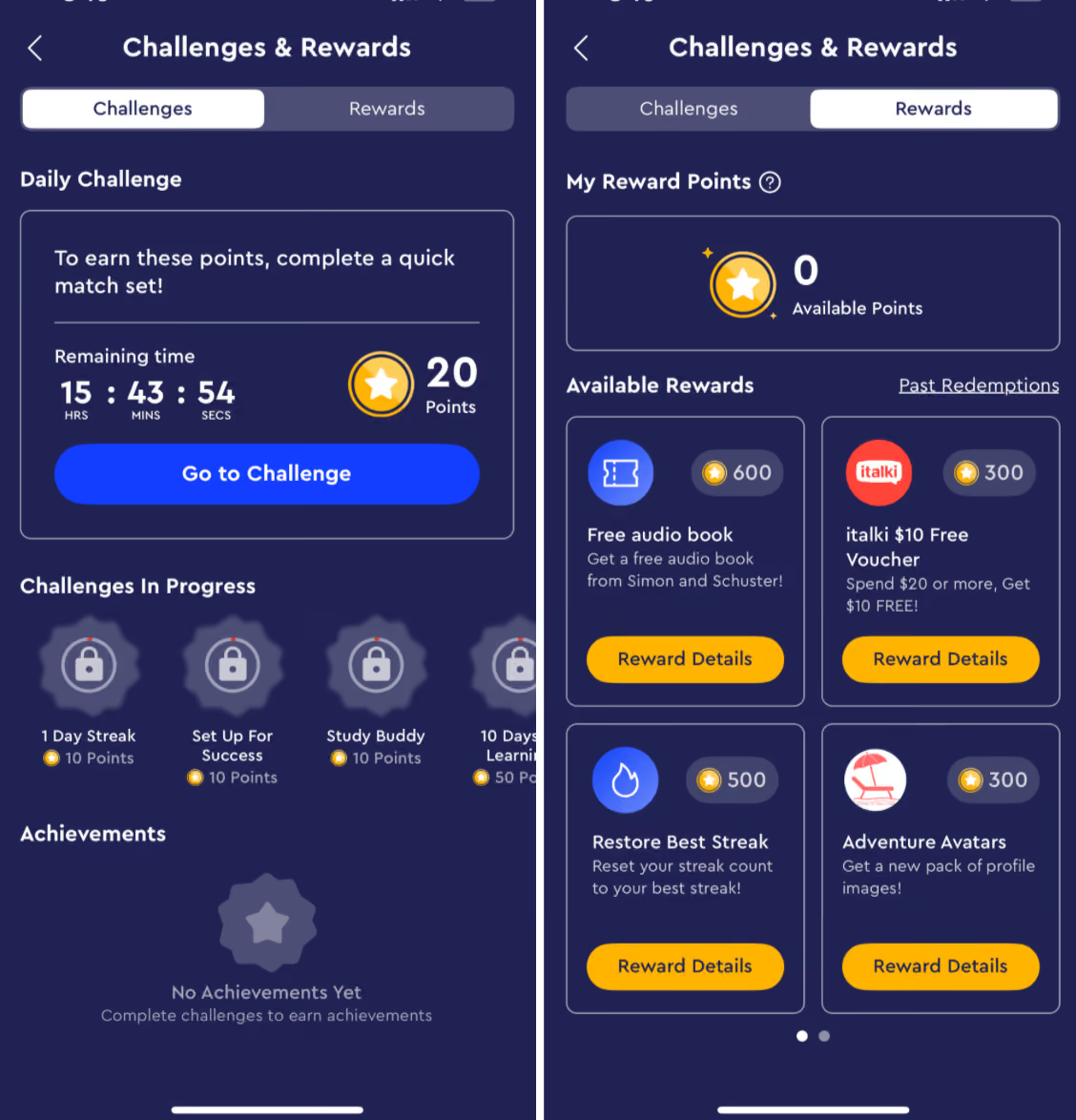
You can earn rewards by completing challenges. Points can be redeemed for language learning tools provided through partnerships – like Simon and Schuster audiobooks in your target languages, or vouchers for other language-learning tools like italki.
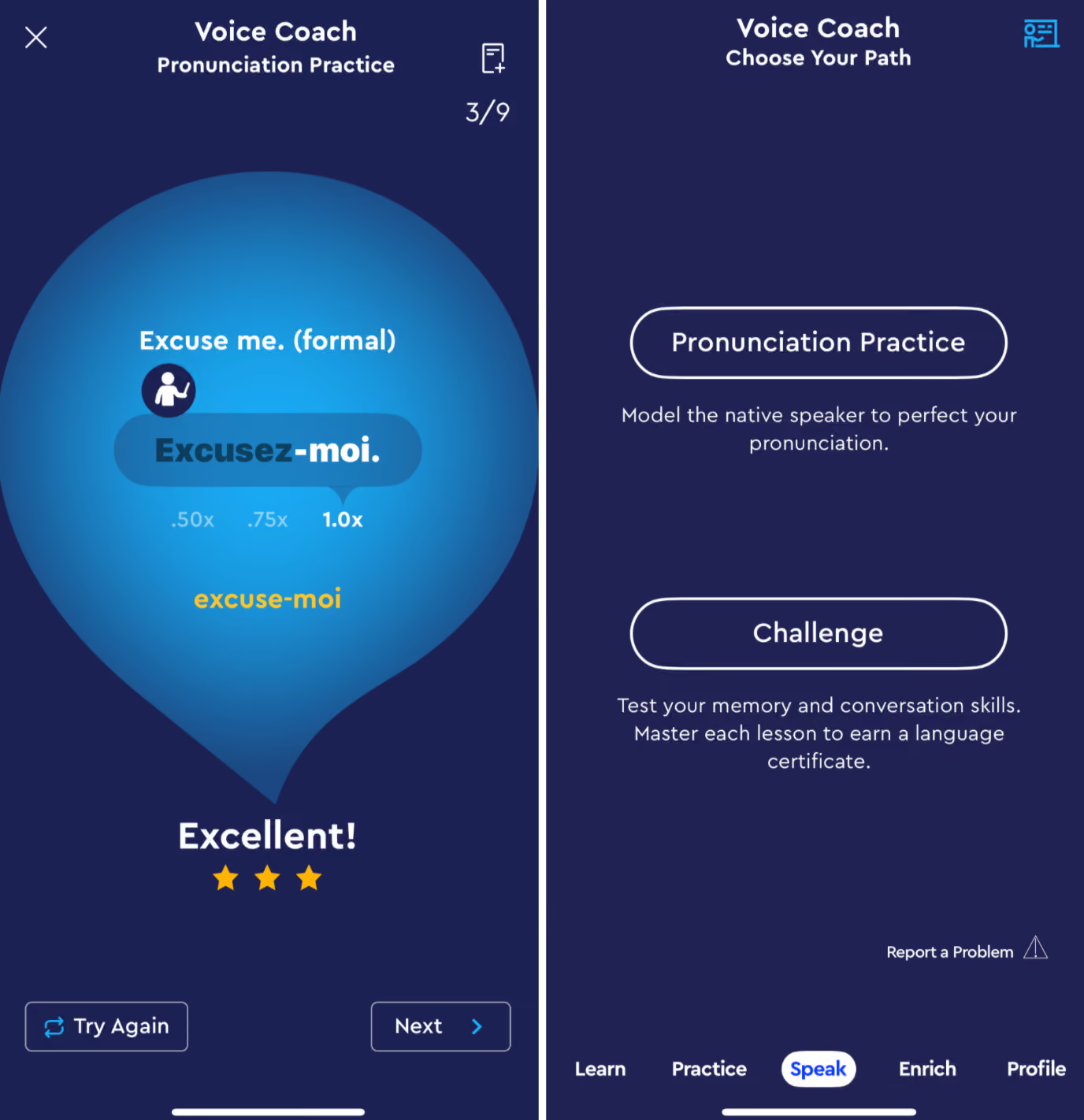
Speak leads you to the Voice Coach, which helps you target your speaking and listening skills quickly through practice, repetition, and challenges.
You also have the option to Practice, which gives you some quick options for brushing up on vocabulary like Flash Cards and Quick Match challenges.
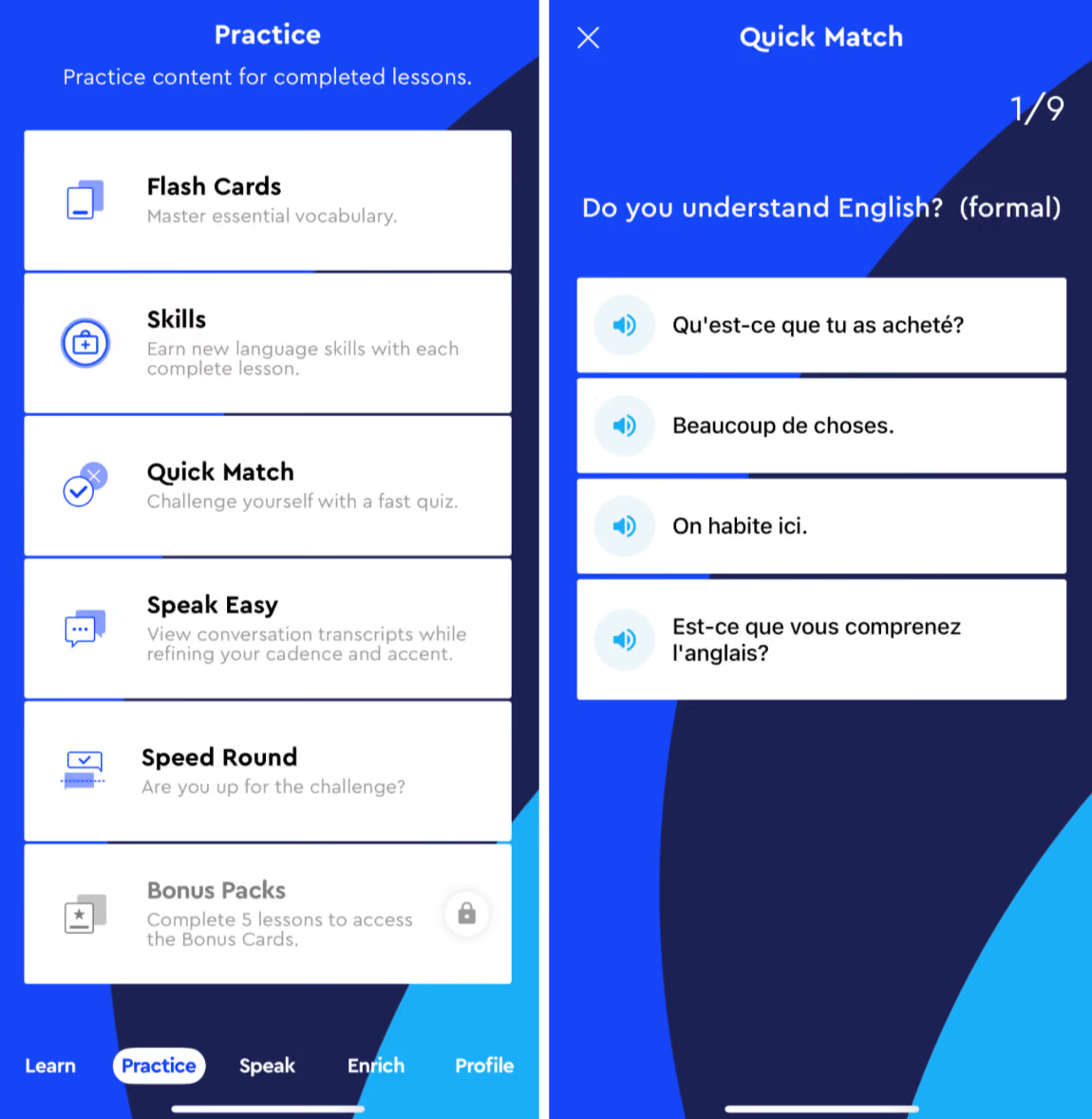
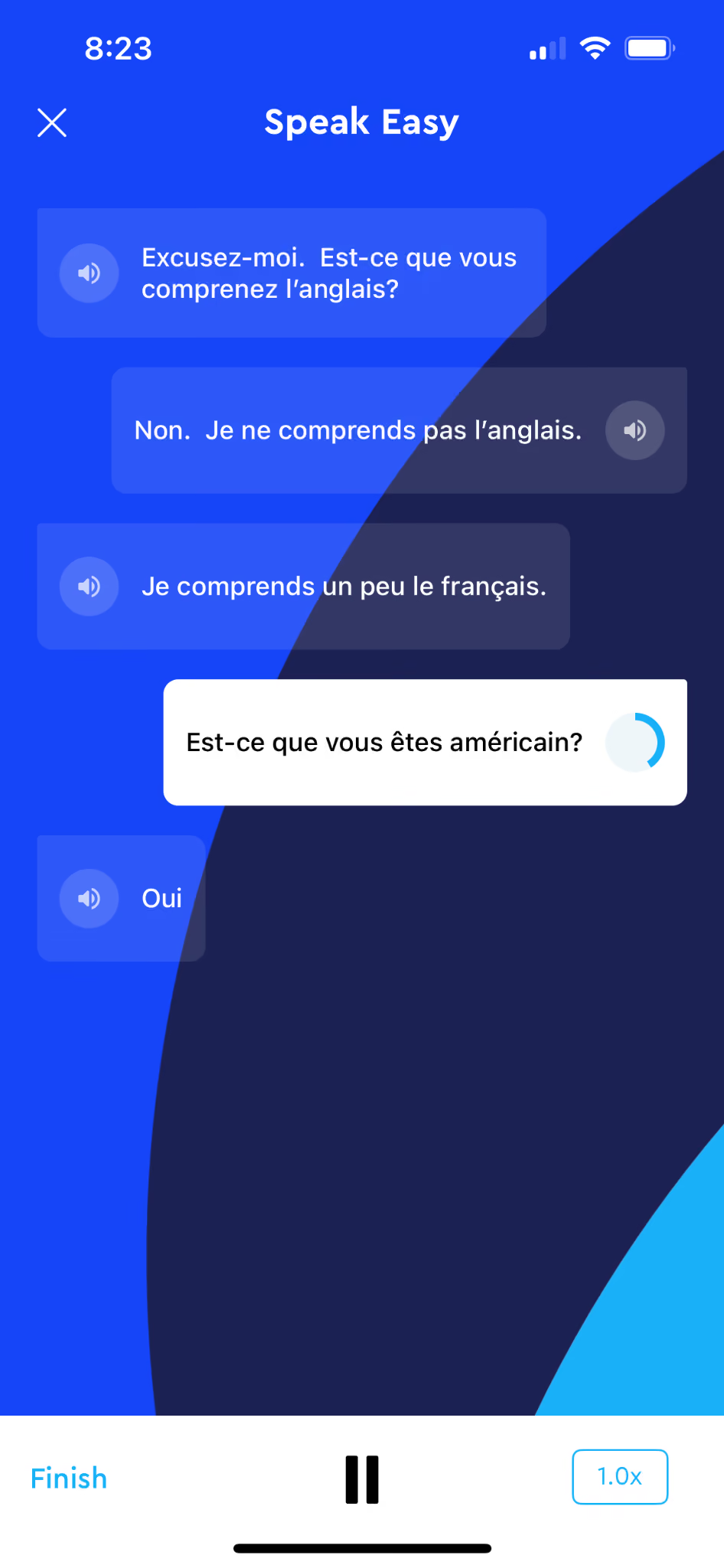
Speak Easy lets you mimic your way through a real-life conversation scenario to work on pronunciation and develop an ear for how the language is supposed to flow.
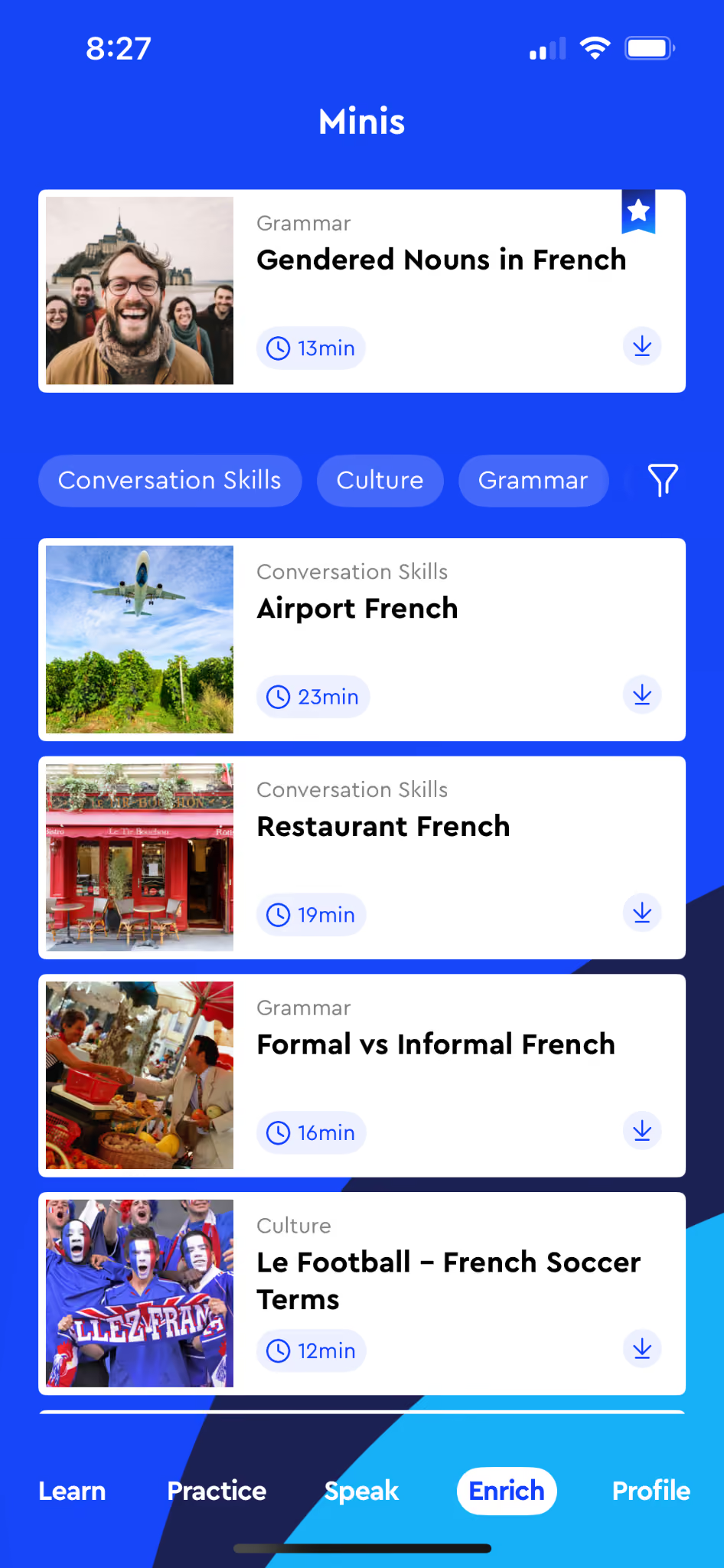
The Enrich tab is probably the most unique part about Pimsleur, other than it’s speech-first approach. This tab includes minis which provide 15-20 minute lessons on grammar and cultural topics to help you understand the people and culture you’ll be interacting with once you’ve reached proficiency with your target language.
Inside a Lesson
Pimsleur lessons combine what I can only describe as old school, cassette-tape style language lessons with all the interactive features of a modern language-learning app.
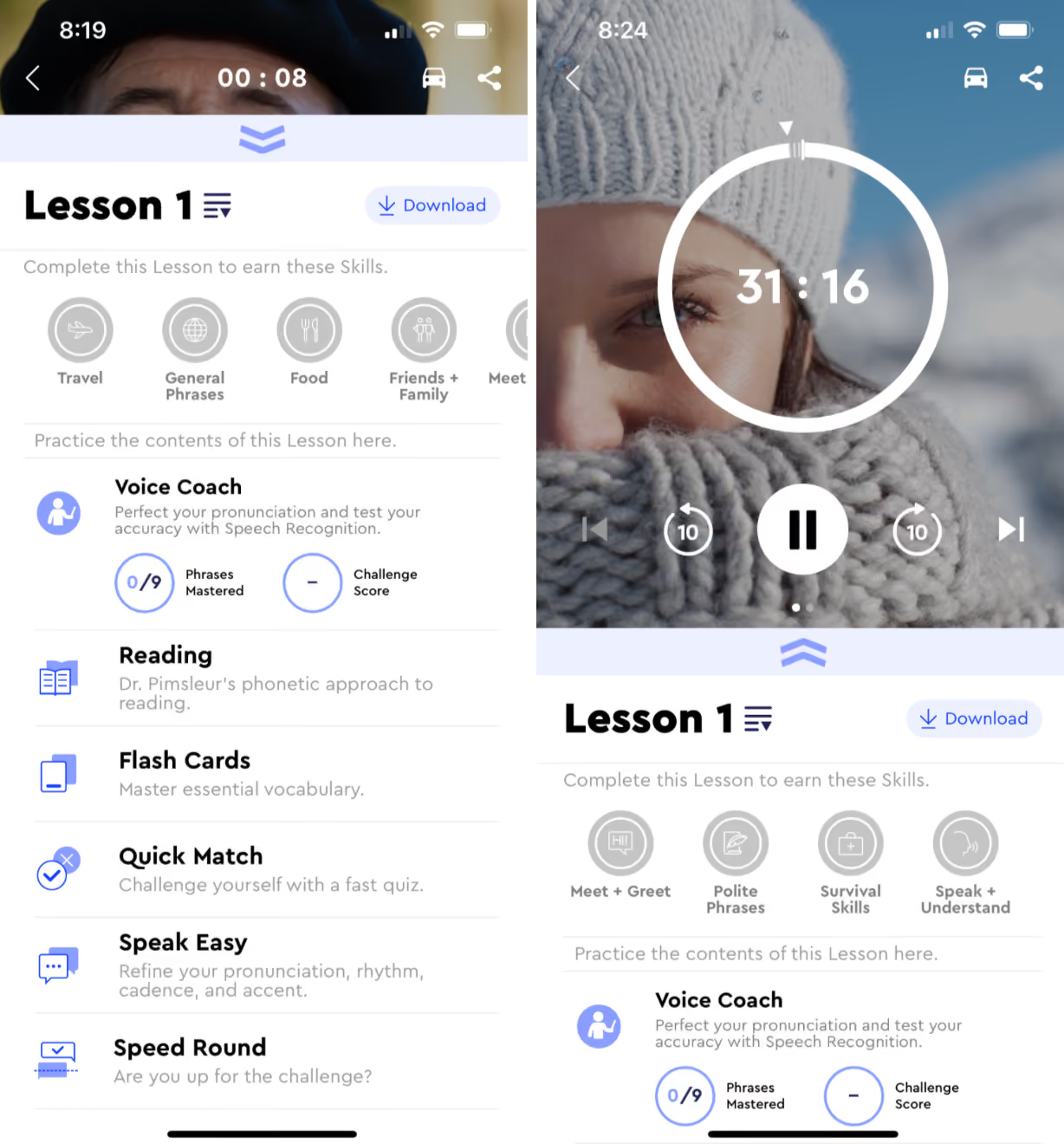
Lessons include a pretty long audio lesson – think 30 minutes or more. With features like Car movie and the ability to share or cast the audio, Pimsleur clearly designed these lessons with the intention of you making the most of your morning commute, putting the audio on while you’re doing the dishes or vacuuming, or otherwise letting all that knowledge soak in while you’re dealing with the demands of daily life.
With the listening portion of the lesson complete, you’ll step through other Practice and challenges to review what you’ve learned and practice speaking before the Lesson is officially over.
Rosetta Stone (Classic)
Best for Uncomplicated Immersion Practice
Rosetta Stone has been around since the mid-90s, long before "language learning app" was even a category. They practically invented it. The pitch has always been immersion: no translation, no grammar lectures, just images, audio, and repetition until the language clicks the way your first one did.
Rosetta Stone recently rolled out a totally new experience called Rosetta Stone Sapphire, but Classic is still available, and that’s the one we’ll cover first. It’s the version most people are at least somewhat aware of.
Rosetta Stone Classic is available on a few different subscription tiers:
- Annual: About $159/year, depending on what promotions are running
- Monthly: $19.99/month, depending on what promotions are running
Interface + Course Structure
Rosetta Stone Classic found a system that worked and pretty much stuck with it. The packaging has changed a little since its launch, but the core of the Classic program remains the same.
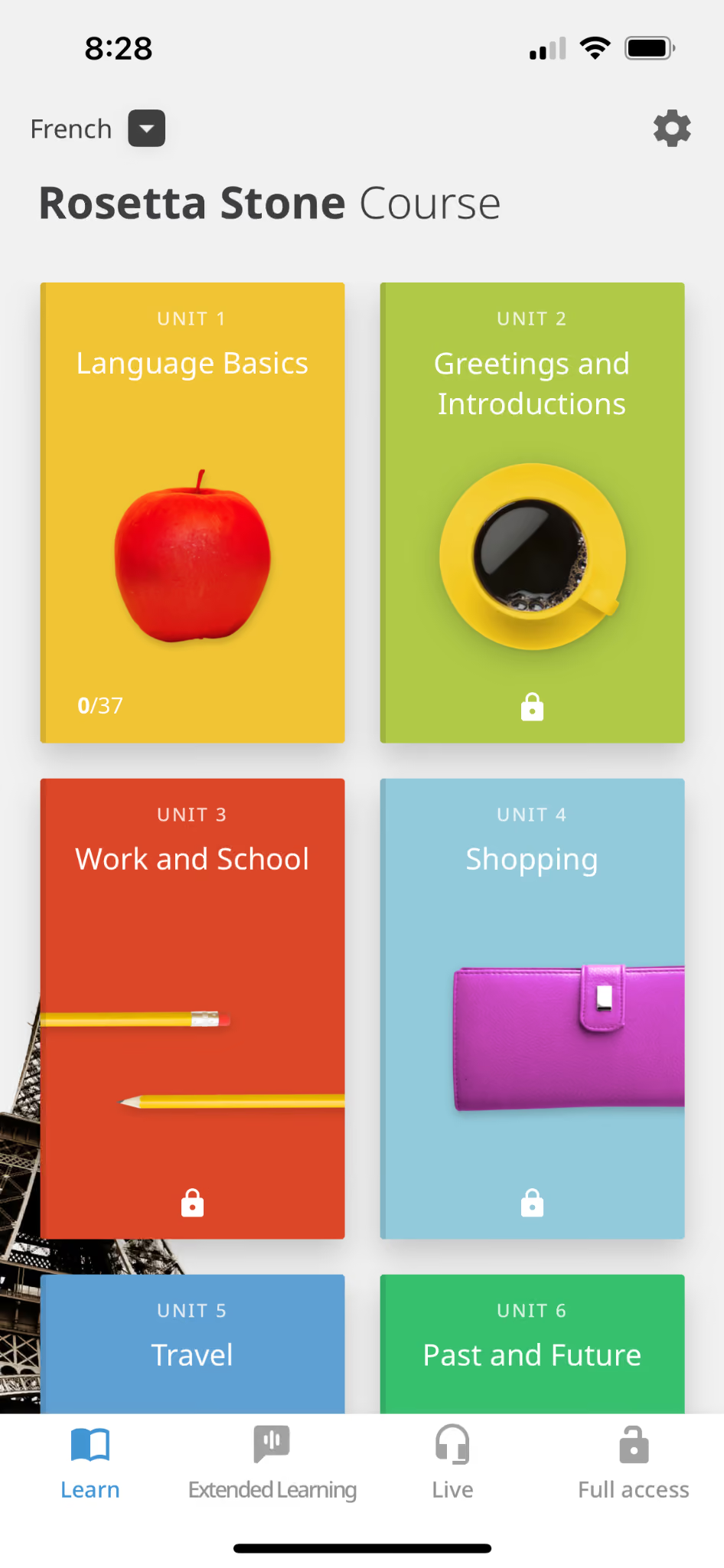
You’ll work through Lessons and Units like you would in a classroom course, but unlike a classroom course, there will be no English-speaking. You’re tossed right into your target language to start matching and making sense of things. No explanations.
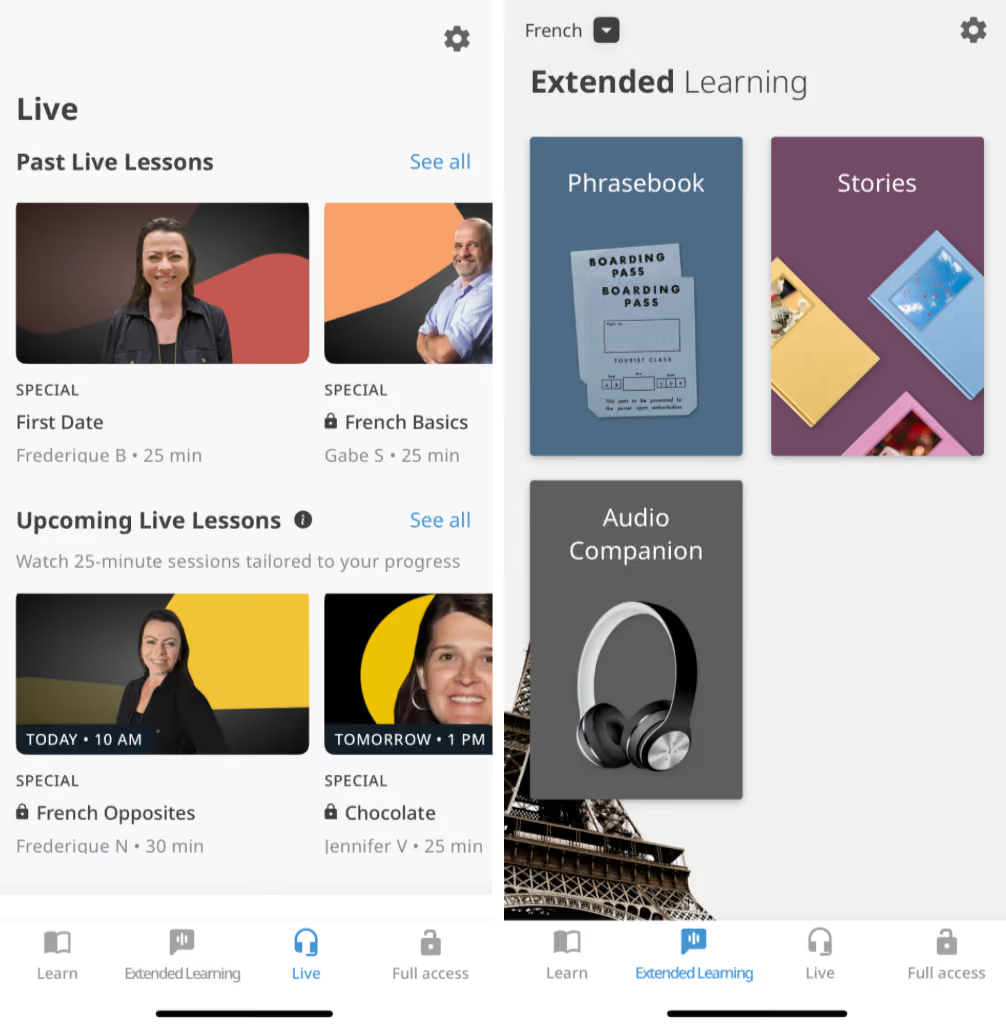
Rosetta Stone Classic does include some additional support, including Live Lessons from experienced instructors (and an archive of past lessons) as well as Stories and Audio lessons you can go back and review.
Inside a Lesson
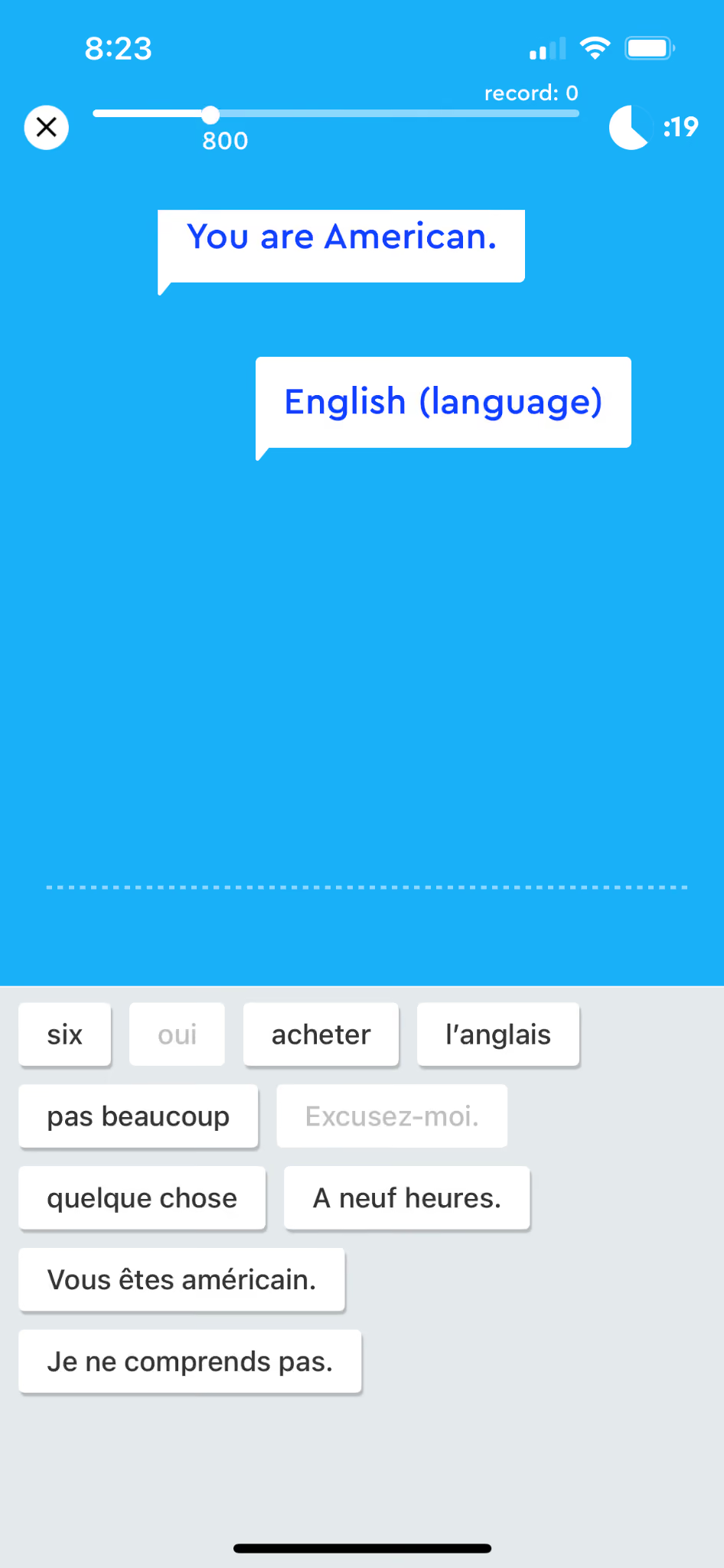
Rosetta Stone Classic is famous for its straightforward, no-frills approach. From the very first lesson, you're matching words to pictures, listening, and repeating, without much hand-holding or gamification layered on top.
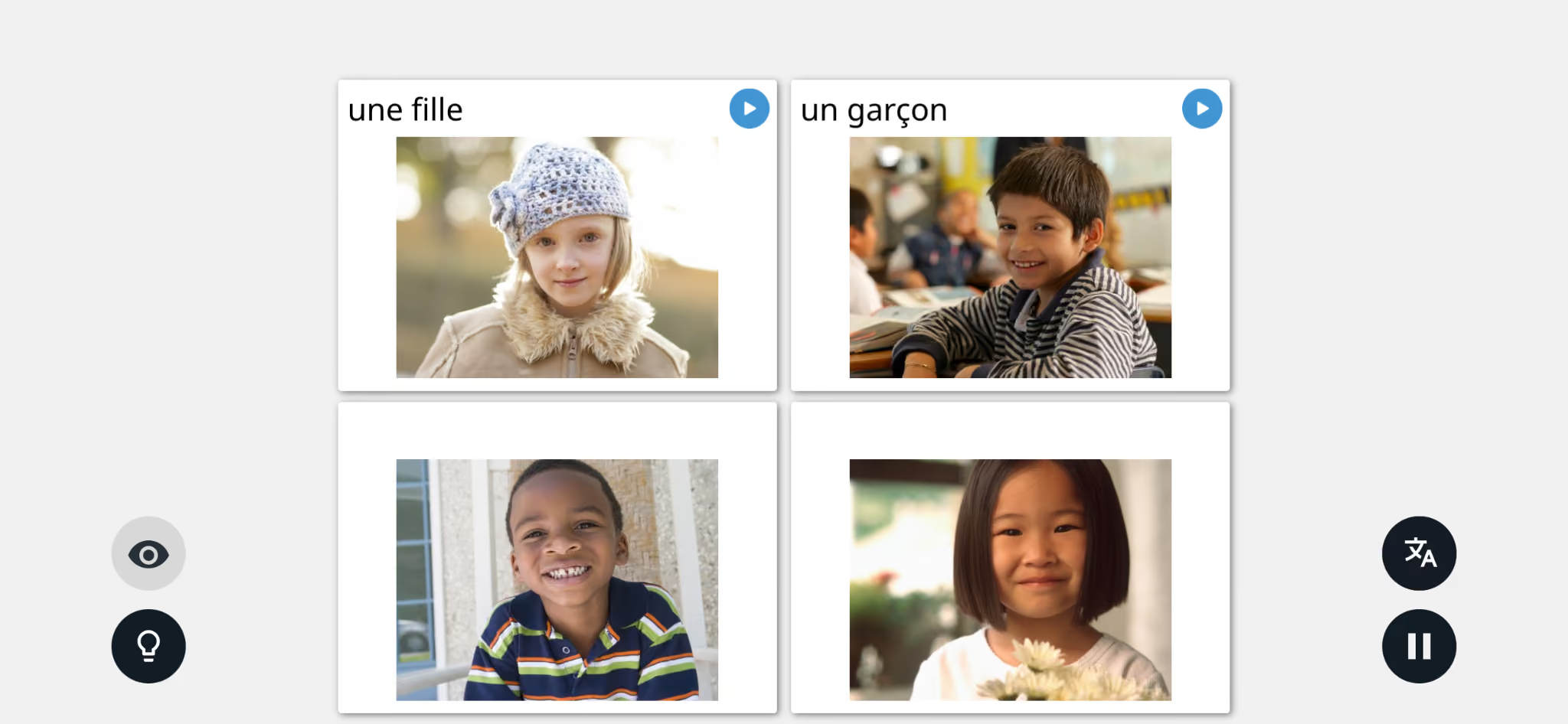
If Duolingo is a game and Babbel is a course, Rosetta Stone Classic feels like flashcards that talk back to you. That simplicity is either exactly what you want or the reason you’ll feel like nothing in the course sticks at all. It just depends on how you learn.
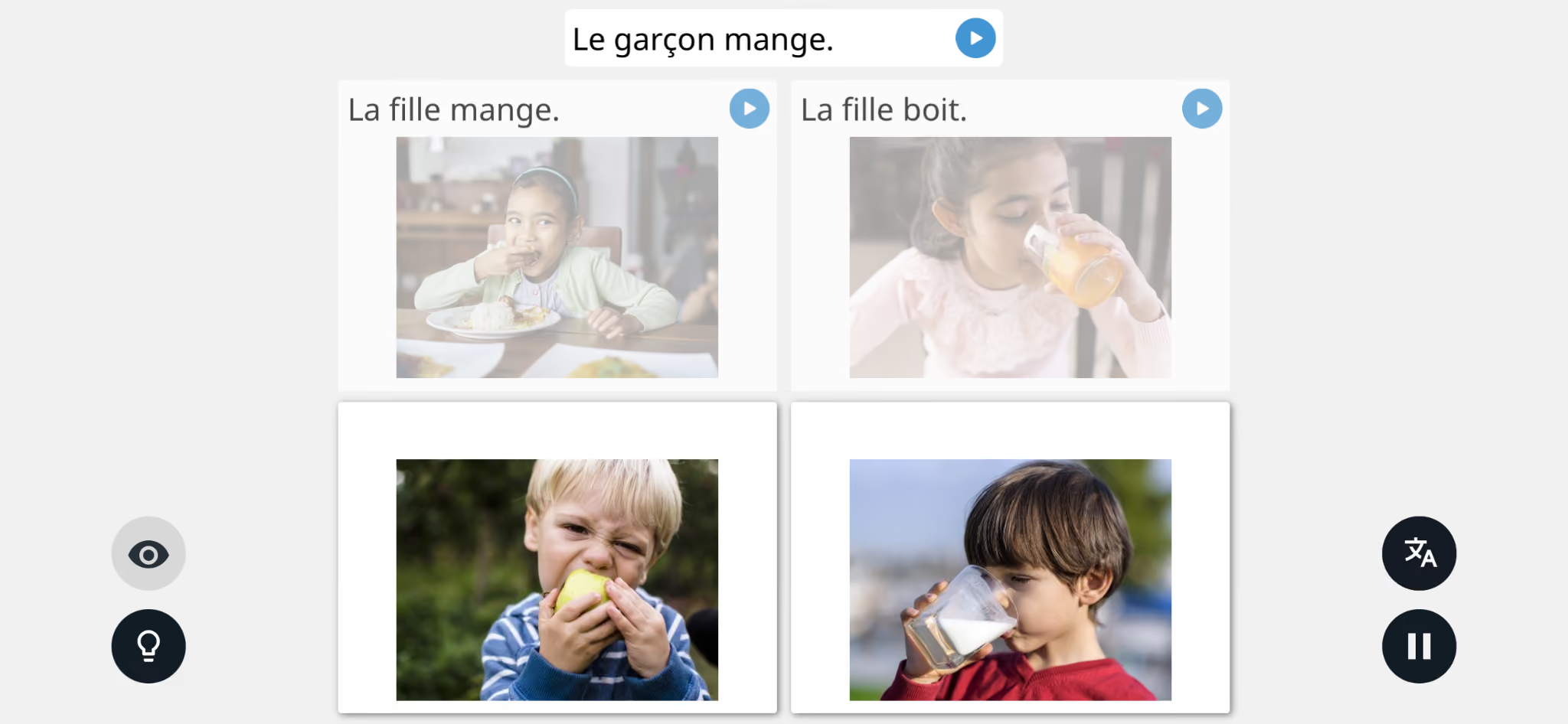
I always struggled with this style. It seems great for getting basic conversationality down quickly. But if you want to go deeper than that, it can be difficult to suss out more complex topics or grammar structures based on images and filling in the gaps yourself. It’s kind of the same problem I had with that French 2 course. I don’t know the language yet, so how am I supposed to know what the actual difference is between nage and nagent and nages unless you explain it to me?
Rosetta Stone Sapphire
A Totally Reimagined Language Learning App, Separate from Rosetta Stone Classic
In early 2026, Rosetta Stone rolled out a completely separate product alongside Classic: Rosetta Stone Sapphire. It's not an update to the app you might already have. It's a completely new experience with its own subscription, built around AI-powered tools layered on top of Rosetta Stone's original Dynamic Immersion method.
Reviews have been mixed. PC Mag called it “a redesigned but less inspired language learning experience.” User reviews have stated that the AI features feel thin and gimmicky compared to the cost of the program – although, it remains to be seen if that will improve over time considering Sapphire just rolled out relatively recently.
Rosetta Stone Sapphire is available on a few different subscription tiers:
- Annual: About $159/year, depending on what promotions are running
- Monthly: $19.99/month, depending on what promotions are running
Notice, it costs the same as Rosetta Stone Classic, but this is not a combo deal. You can buy one, or the other, or both – but they are separate subscriptions and separate products. Sapphire isn’t just an add-on or an upgrade to the existing Rosetta Stone Classic program, it’s a totally new thing.
Interface + Course Structure
Rosetta Stone Sapphire offers an updated interface that looks a lot more like the other apps on the market. When you log in, you’re greeted with a learning path. Unlike other programs, which lock you into a linear learning order, you can click on any of the lessons in your path to complete them as you see fit.
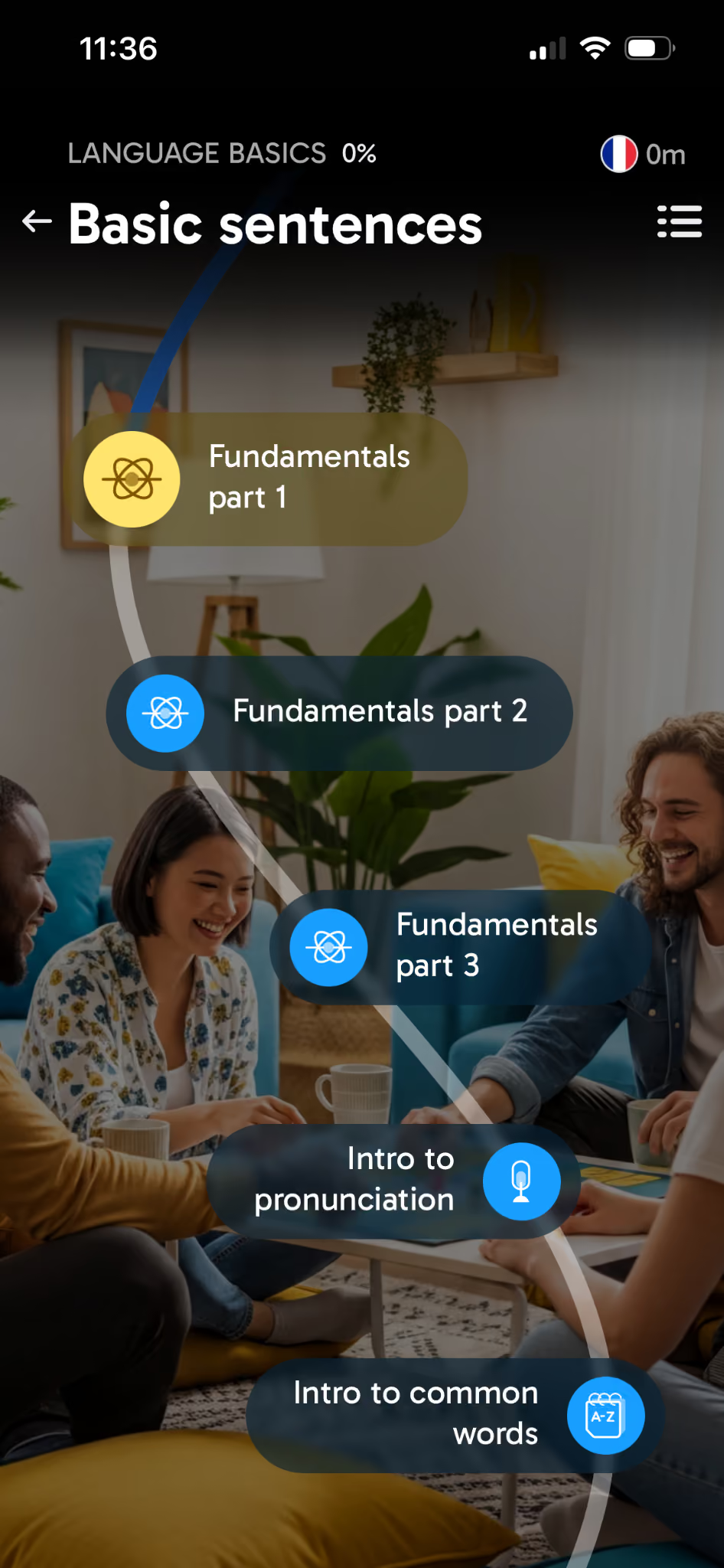
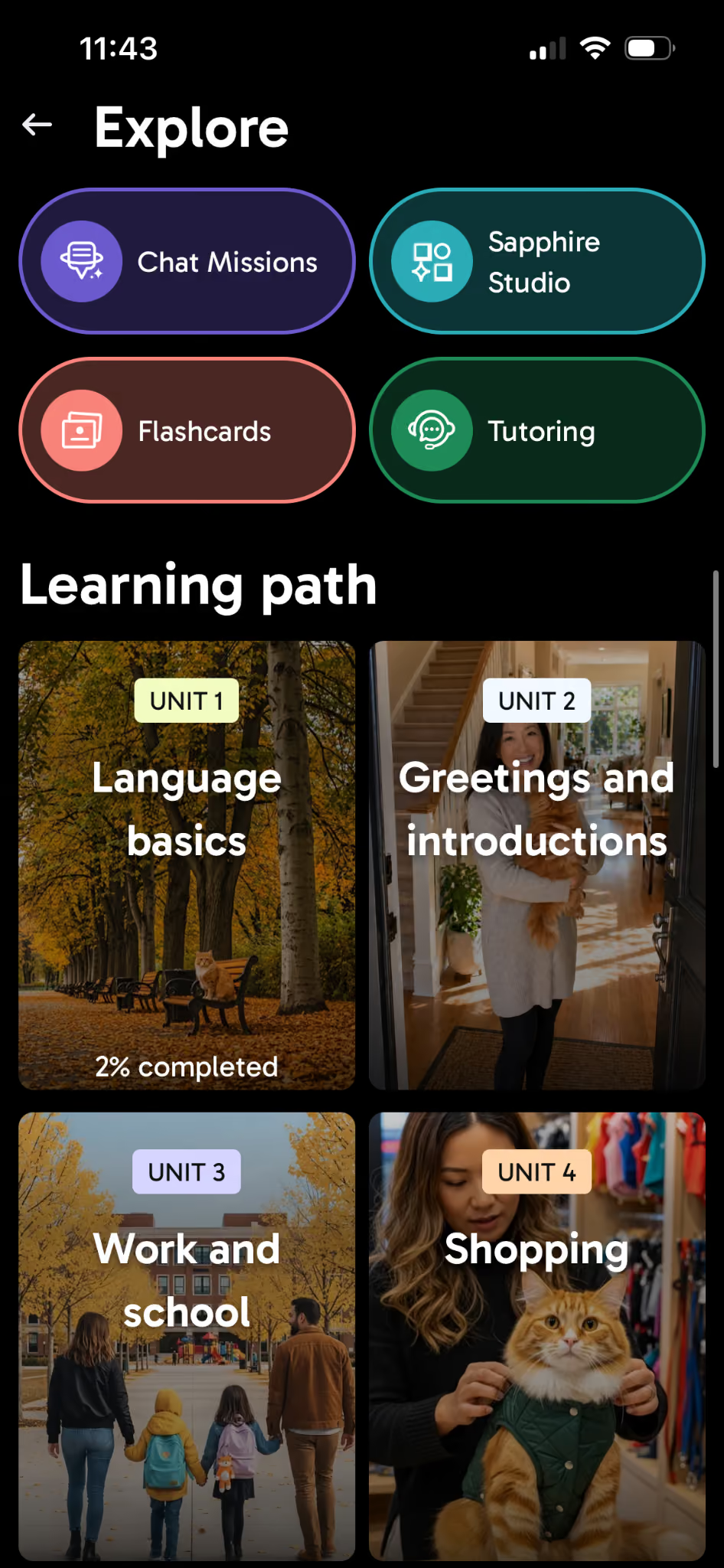
Beyond the basic course, you’ll also find a practice hub which allows you to take advantage of Chat Missions, Flashcards, Tutoring, and Sapphire Studio.
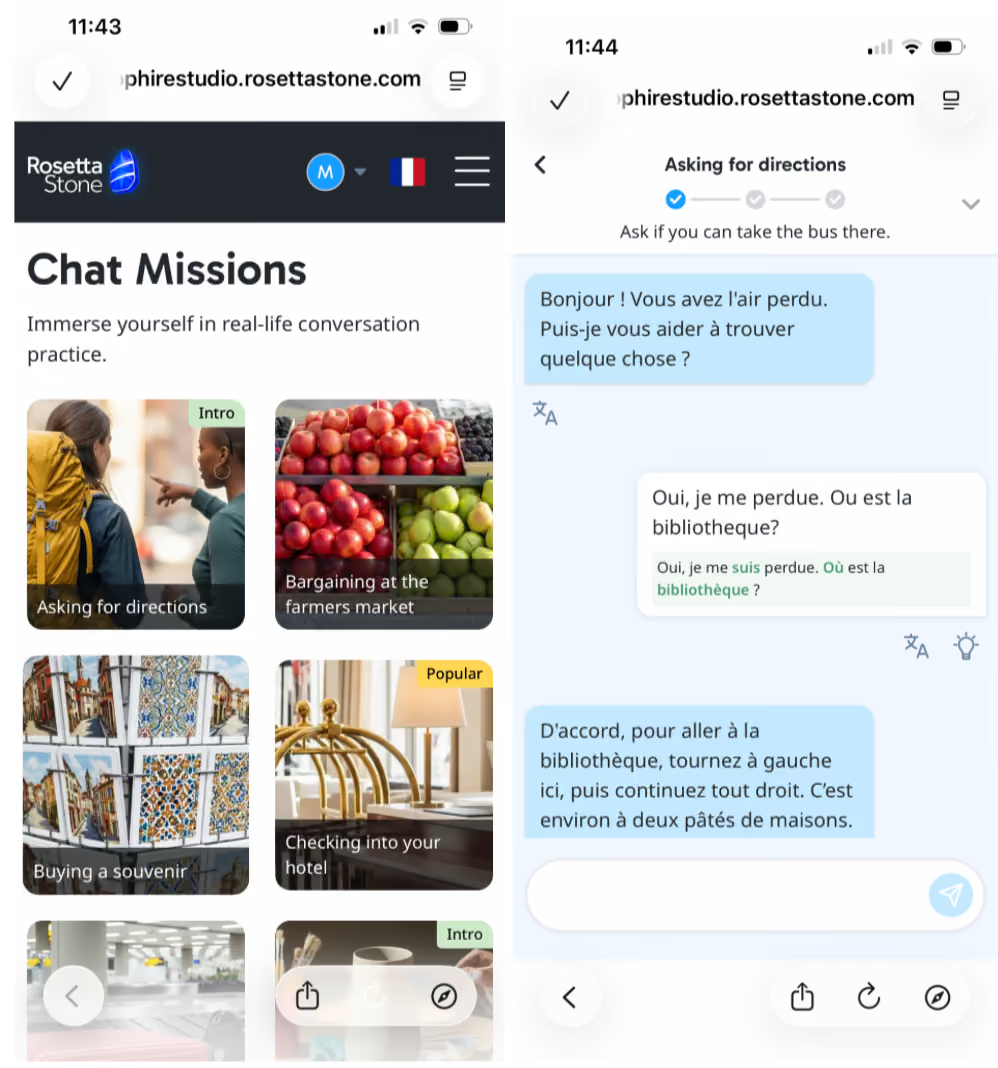
Chat Missions gives you different real world scenarios you might encounter and prompts you through having a conversation on the topic in your target language. You’re free to input any response you like, and the AI critiques and corrects your responses as you go.
Flash Cards gives you tons of pre-created sets of vocabulary to explore. There are 500+ sets to choose from.
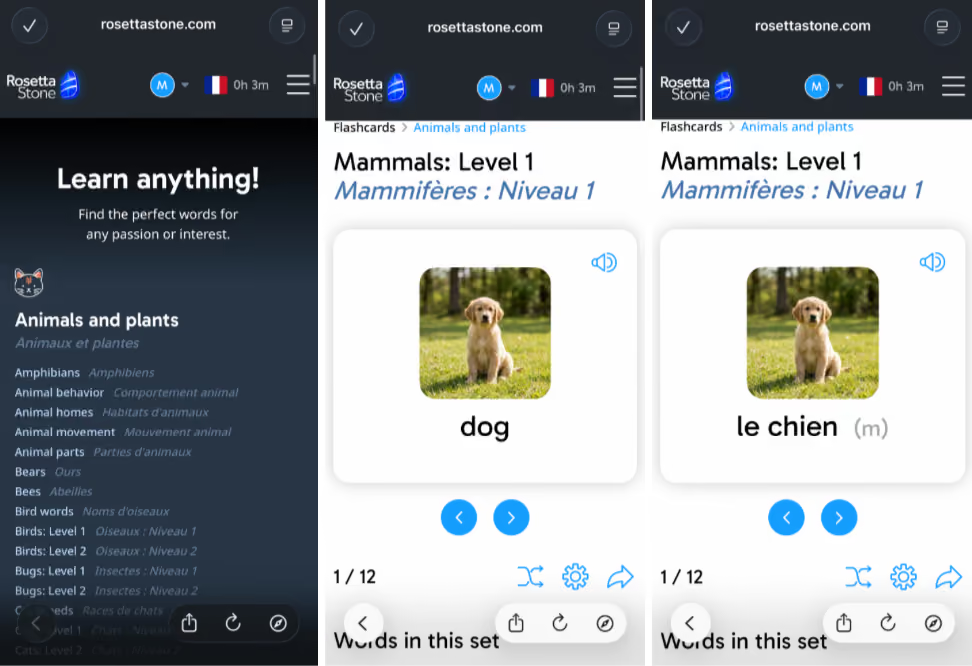
Tutoring allows you to book 30 minute live sessions with a tutor for one-on-one coaching. Note, tutoring is not included in the base subscription price. You can purchase packages of 5 or 10 tutoring sessions on top of what you’re paying for Rosetta Stone Sapphire.
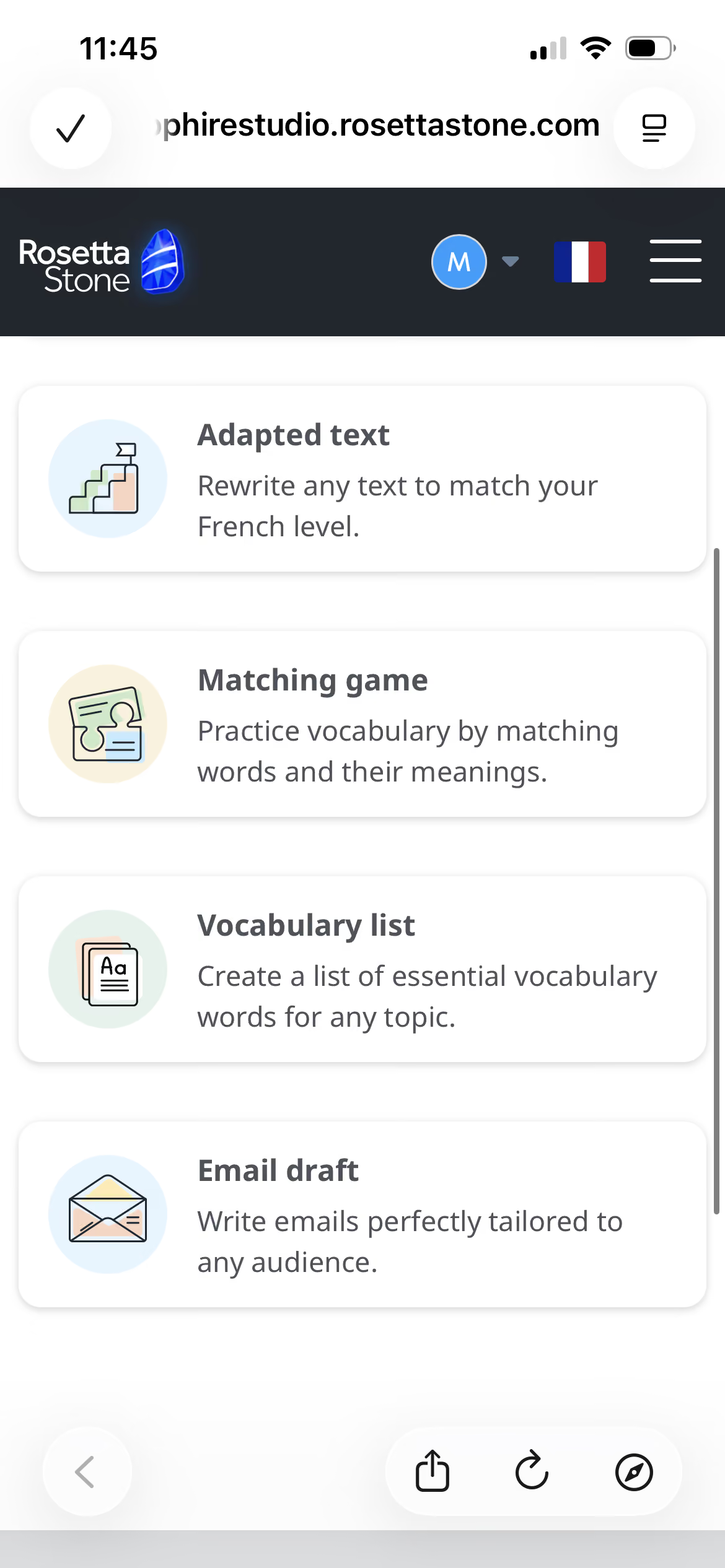
Sapphire Studio is where most of the new features that set Sapphire apart from Rosetta Stone Classic live. They aren't really integrated into the app, so if you use any of them you'll get a web overlay in the app, which is a little clunky particularly when you want to go back to the list of all the Sapphire Studio offerings.
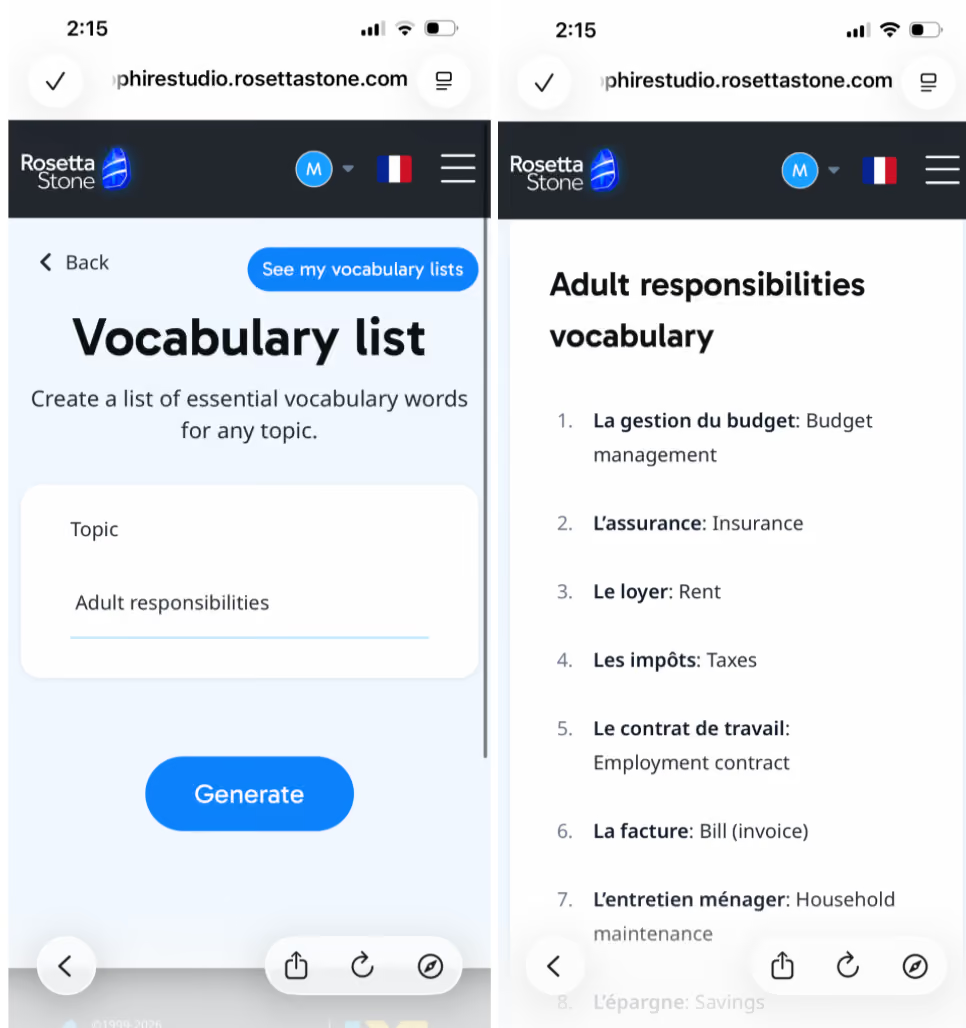
Hitting the Sapphire Studio button in the app launches the web-based hub with additional AI-powered tools, including:
- Vocabulary list: Input a topic, and the AI will generate a set of related vocabulary flashcards for you
- Adapted text: Input text in your target language, and AI will adjust the difficulty of the passage to your level
- Reading guide: Input text in your target language, and AI will generate a vocabulary list, grammar breakdown, and comprehension questions based on the source text.
- Email draft: Write emails in your target language.
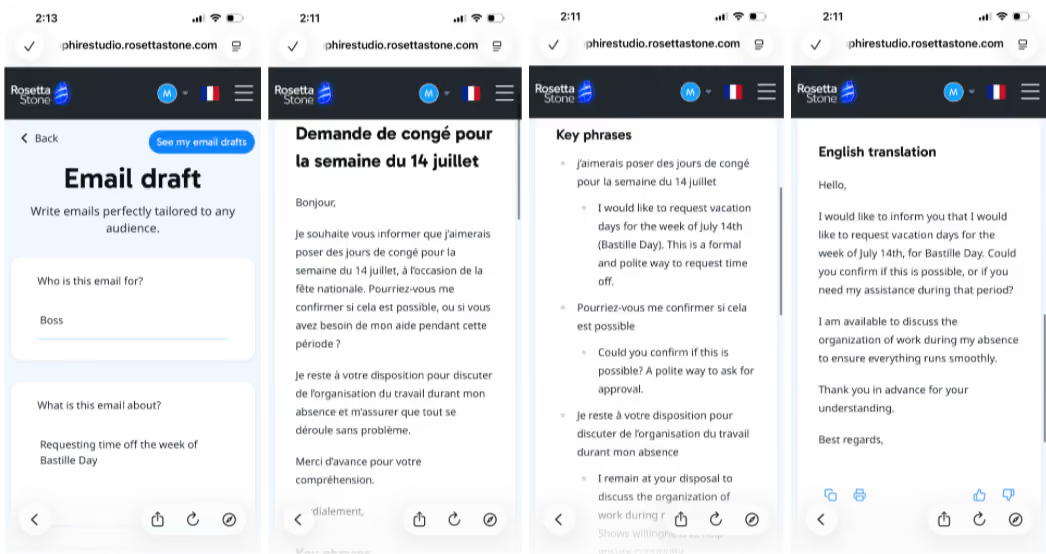
Here’s an example of the Email Draft functionality, based on the prompt of writing an email to your boss requesting time off. It generates the email, then provides a breakdown of key phrases and an English translation.
On the surface this is a helpful professional tool, but when Google Translate and even ChatGPT exists this hardly needs to be a paid feature in a language learning app.
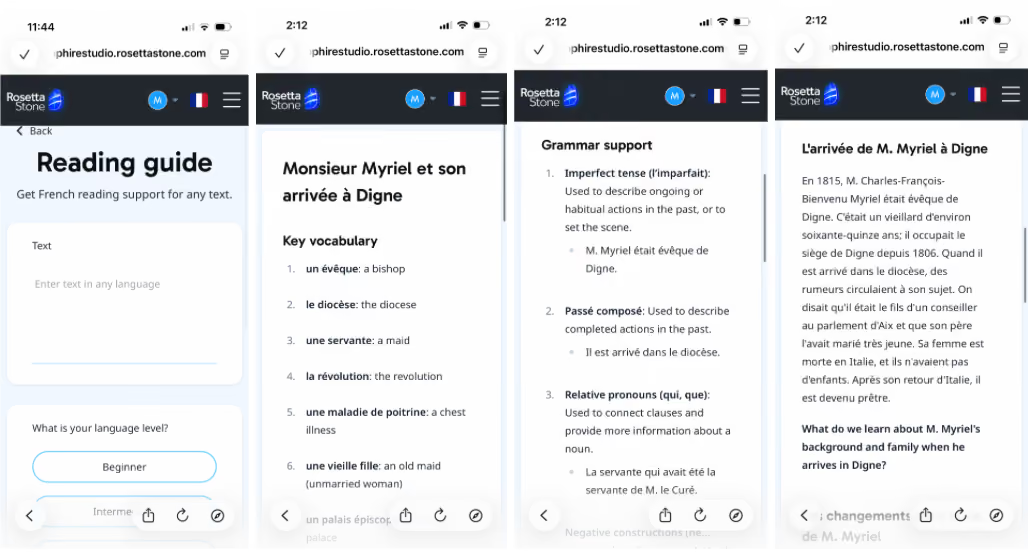
The Reading Guide is actually a super interesting feature, particularly if you consider inputting a chapter of a novel from Project Gutenberg or a transcript of your favorite tv episode. For the example here, I grabbed the first chapter of Les Miserables and dropped it in, and it generated a vocabulary and grammar overview in seconds.
However, the guide does not provide answers to any practice questions, which means you’ll need to find another way to verify your responses.
You can actually do this same thing with whatever your preferred AI chatbot is, and double check your responses in the same conversation. So I don’t know if this feature is quite there yet in terms of utility.
Inside a Lesson
The lessons in Rosetta Stone Sapphire have gotten a facelift like the rest of the interface, but they are fundamentally the same old Rosetta Stone lessons. They’re based on full immersion, pairing audio with pictures without providing much at all in the way of explanation or grammar instruction.
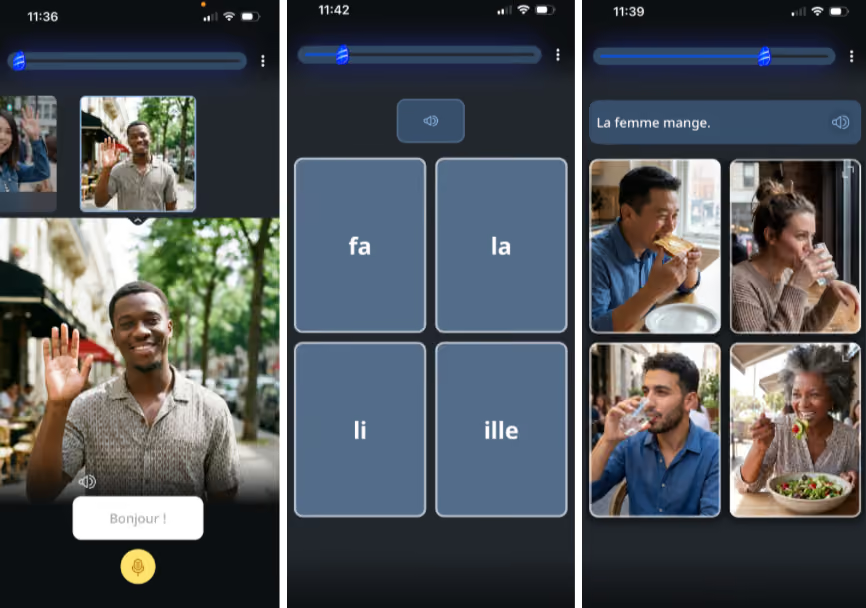
From what I was able to tell, pretty much all of the lessons in the path are structured this way, at least at the introductory levels that I explored. It doesn’t matter if it’s listed as Fundamentals 1 (broad lesson?), Intro to Common Words (vocabulary lesson?), or Intro to Pronunciation (speaking focused?) they all really felt the same and the same general breakdown of speaking vs. listening vs. identifying cards.
But now instead of generic stock photos for each word or phrase, you get generic AI-generated images for each word or phrase. And all of the images being all AI, all the time gives the whole lesson a weird kind of uncanny valley feeling.
That said, I did enjoy this little cat on the login screen.
But overall, while Sapphire does provide a meaningful interface update that makes Rosetta Stone look and feel a lot more like the other language apps on the market, most of the new tools are things you can get for free elsewhere. You could even argue that it loses something in the makeover because rather than looking and feeling like a unique offering in the language app world, Rosetta Stone Sapphire ultimately looks and feels… just like every other app.
The bottom line: Duolingo is the easiest entry point, Babbel is the most balanced, and other platforms work best for specific goals.
To me, Babbel is the best language learning app by a pretty wide margin. The lessons are fun and bite-sized enough to fit into your day – you can pretty easily wrap up practice in the time it takes to drink your morning coffee – but the information is still good and in-depth. That means when you have questions, you’ve got answers right there.
Duolingo is the easiest to get started with. With gamified lessons and features like friend streaks, league leaderboards, and weekly quests, it sucks you in. Sometimes it sacrifices depth of learning for these sorts of features, but ultimately, if it gets you on the app and practicing every day, that’s still super helpful – studies repeatedly confirm that frequency of practice is perhaps the most important variable in whether or not a language sticks, particularly if you’re trying to learn a language as an adult.
Babbel and Duolingo are both pretty all-purpose apps. If you have a more specific goal, like speaking as soon as possible or being ready to throw yourself into a language full-immersion on an upcoming trip, options like Pimsleur or Rosetta Stone might be the best option for you.
But ultimately, the best language learning app is the one that you’re going to stick with. If you like the format, if it has enough depth of information for you, and most importantly it gets you to log on every day and practice – then that’s the right app for you. Good luck + happy learning!